
Mazda CX-5 Service & Repair Manual: Center Pillar Removal [Panel Replacement]
Symbol Mark

Removal Procedure
CAUTION:
-
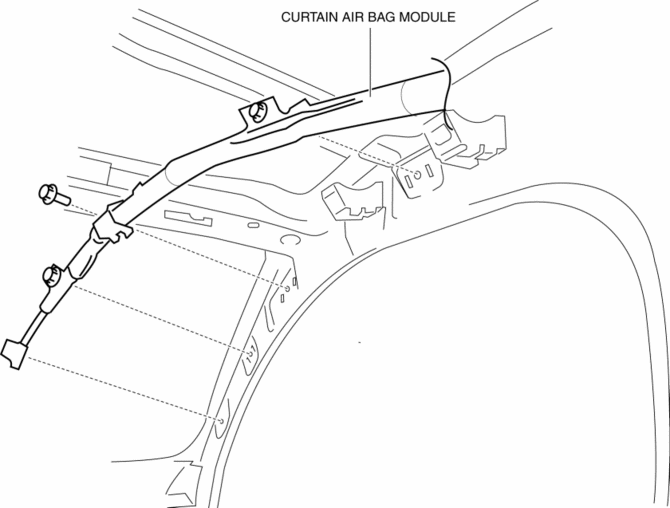
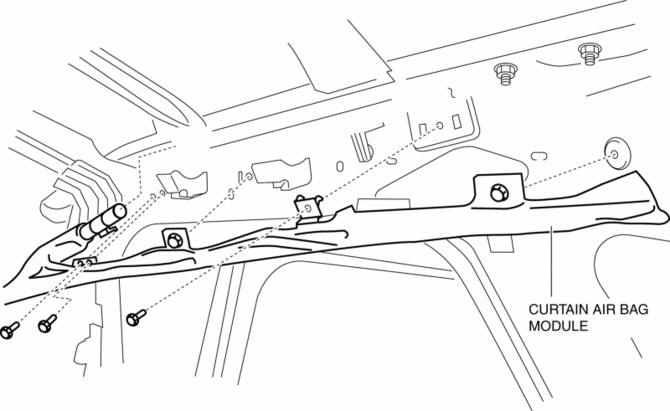
Remove the curtain air bag module to prevent damage before servicing.
Front-side
Rear-side
CAUTION:
-
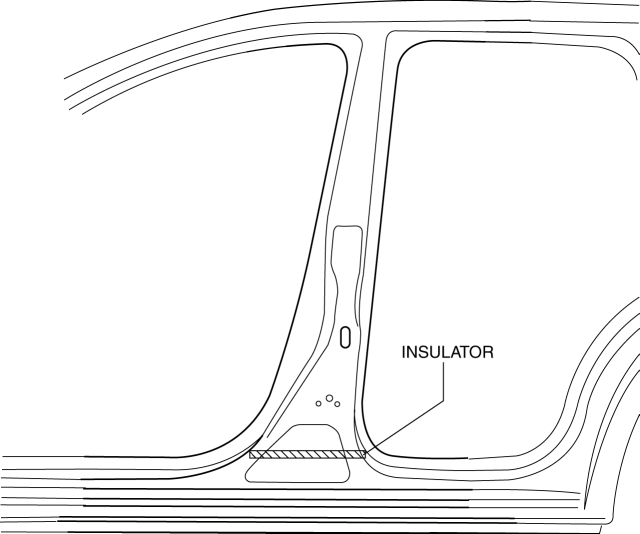
Avoid cutting with a blowtorch or similar tools as the insulator (shaded area) is flammable.
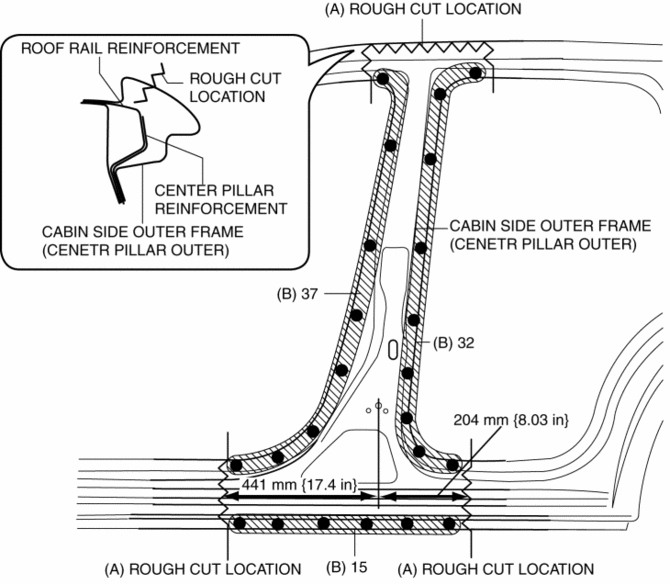
1. Rough cut the area locations indicated by (A).
2. Drill the 84 locations indicated by (B) shown in the figure then remove the cabin side outer frame (outer center pillar).
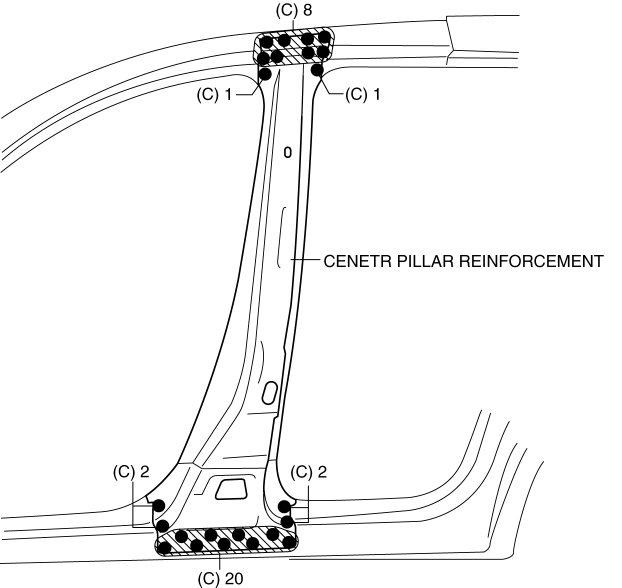
3. Drill the 34 locations indicated by (C) shown in the figure then remove the center pillar reinforcement.
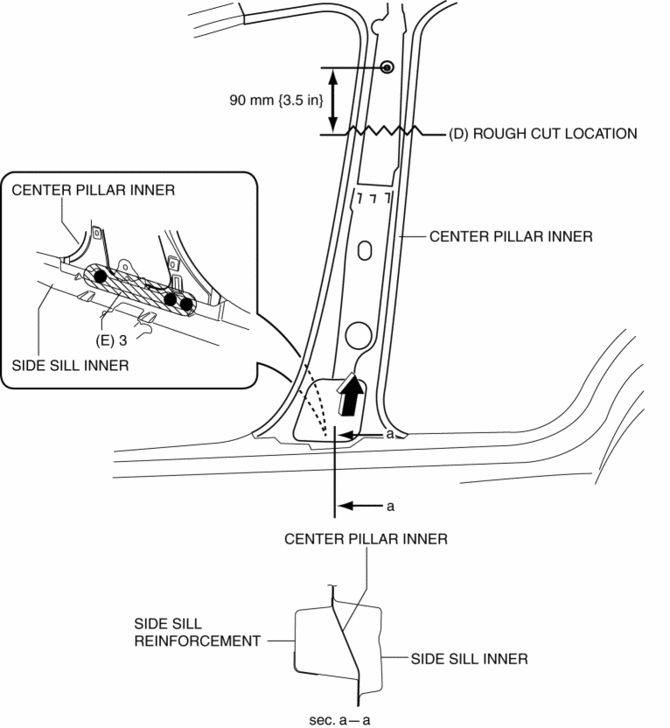
4. Rough cut the area locations indicated by (D).
5. Drill the 3 locations indicated by (E) shown in the figure.
6. Pull the inner center pillar in the direction of arrow shown in the figure, then remove it from between the inner side sill and side sill reinforcement.
 Center Pillar Installation [Panel Replacement]
Symbol Mark
Installation Procedure
1. When installing new parts, measure and adjust the body as necessary to conform
with standard dimensions.
2. Drill holes for the plug welding before inst ...
 Construction Standard Values [Construction Standard Values]
Front view
No.
Measurement part
Standard values (mm {in})
Maximum values (mm {in})
Minimum values (mm {in})
Side ...
Other materials:
Turbine/Input Shaft Speed Sensor, Output Shaft Speed Sensor [Fw6 A EL, Fw6 Ax
EL]
Purpose/Function
The turbine/input shaft speed sensor detects the rotation speed of the input
shaft (low clutch drum).
The output shaft speed sensor detects the rotation speed of the output shaft
(primary gear).
The turbine/input shaft speed sensor and output shaft speed ...
Side Member Removal [Panel Replacement]
Symbol Mark
Removal Procedure
1. Drill the 45 locations shown in the figure.
NOTE:
When drilling, do not drill a hole all the way through or there could be
a problem when installing the new part.
2. Remove the side member. ...
Rear Fender Panel Installation [Panel Replacement]
Symbol Mark
Installation Procedure
1. When installing new parts, measure and adjust the body as necessary to conform
with standard dimensions.
2. Drill holes for the plug welding before installing the new parts.
3. After temporarily installing new parts, make sure the related parts fit p ...
