
Mazda CX-5 Service & Repair Manual: Front Console Removal/Installation
CAUTION:
-
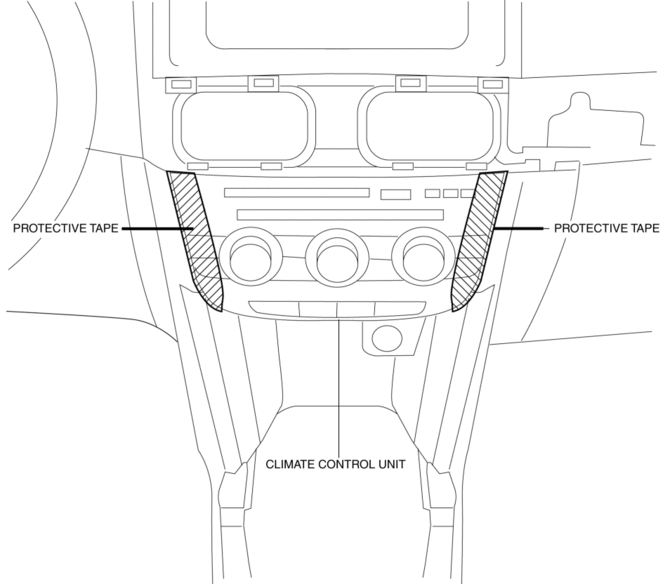
Affix protective tape to the position shown in the figure.
1. Disconnect the negative battery cable..
2. Remove the following parts:
a. Decoration panel.
b. Shift lever knob (MTX).
c. Front console box.
d. Shift panel.
e. Upper panel.
f. Rear console.
g. Side wall.
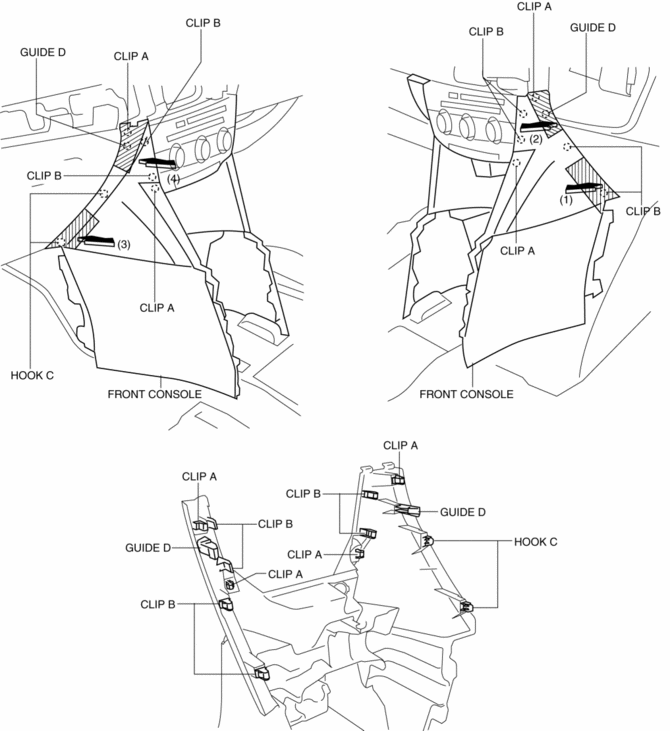
3. Take the shaded area shown in the figure, and remove the front console in the direction of the arrow in the order of (1), (2), (3), (4) while detaching clips A, clips B, hooks C, guides D.
4. Disconnect the front accessory socket connector.
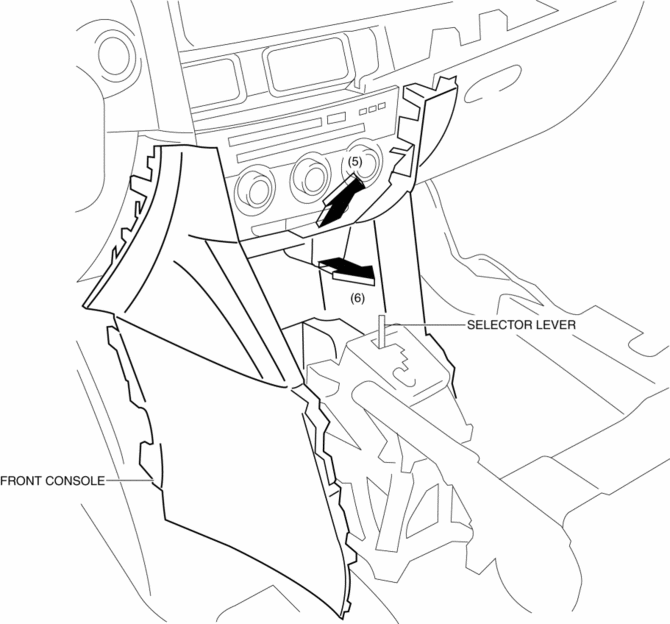
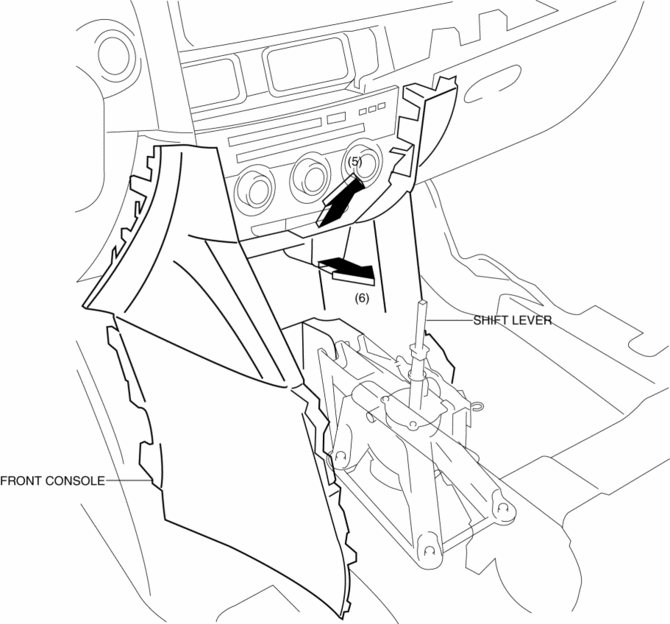
5. Pull the front console in the direction of the arrow in the order of (5), (6) and remove the front console while detaching the selector lever (ATX) or shift lever (MTX).
ATX
MTX
6. Install in the reverse order of removal.
 Front Console Box Removal/Installation
NOTE:
Affix protective tape to the position shown in the figure.
1. Insert a tape-wrapped flathead screwdriver in the position indicated by the
arrow in the figure and detach cl ...
 Glove Compartment Removal/Installation
1. Push the glove compartment in the direction of the arrow (1) and remove hooks
A.
2. Pull the stay damper in the direction of the arrow (2) shown in the figure
and remove the hook B.
CAU ...
Other materials:
Service Cautions
Injury/damage Prevention Precautions
Depending on the vehicle, the cooling fan may operate suddenly even when
the ignition is switched to off. Therefore, keep hands and tools away from the
cooling fan even if the cooling fan is not operating to prevent injury to personnel
or damage t ...
Keyless Beeper
Purpose, Function
Notifies the user that the lock/unlock operation of the advanced keyless
entry system is completed, and warns if the system is operated incorrectly.
Construction, Operation
Installed inside the cowl grille.
The keyless beeper operates based on the LF ...
Evaporator Temperature Sensor [Manual Air Conditioner]
Purpose
The evaporator temperature sensor detects the airflow temperature passing
through the evaporator.
Function
The evaporator temperature sensor converts the detected temperature to an
electric signal.
Construction
A thermistor-type evaporator temperature s ...
