
Mazda CX-5 Service & Repair Manual: Torque Box Installation [Panel Replacement]
Symbol Mark

Installation Procedure
1. When installing new parts, measure and adjust the body as necessary to conform with standard dimensions.
2. Drill holes for the plug welding before installing the new parts.
3. After temporarily installing new parts, make sure the related parts fit properly.
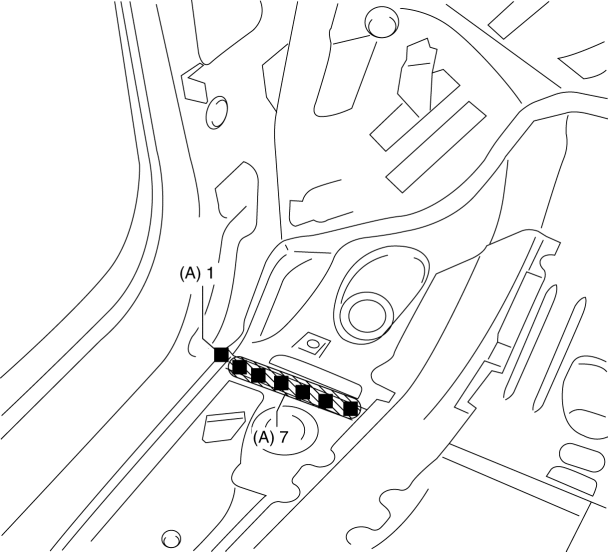
4. Plug weld the 8 locations indicated by (A) from the inside shown in the figure.
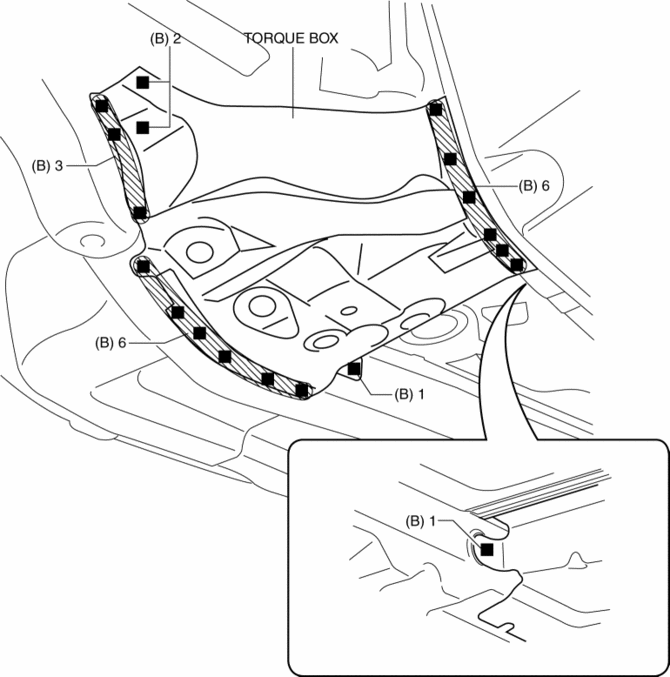
5. Plug weld the 19 locations indicated by (B) shown in the figure, then install the torque box.
 Side Member Removal [Panel Replacement]
Symbol Mark
Removal Procedure
1. Drill the 45 locations shown in the figure.
NOTE:
When drilling, do not drill a hole all the way through or there could be
a problem when installing ...
 Torque Box Removal [Panel Replacement]
Symbol Mark
Removal Procedure
1. Drill the 19 locations indicated by (A) shown in the figure.
NOTE:
When drilling the 19 locations indicated by (A) shown in the figure, do not
drill ...
Other materials:
Seat Warmer Control Unit Removal/Installation
WARNING:
Handling a side air bag improperly can accidentally operate (deploy) the
air bag, which may seriously injure you. Read the service warnings/cautions
in the Workshop Manual before handling the front seat (side air bag integrated)..
1. Switch the ignition off (LOCK).
2. ...
Keys
WARNING
Do not leave the key in your vehicle with children and keep them in a place where
your children will not find or play with them:
•eaving children in a vehicle with the key is
dangerous. This could result in someone being badly injured or even killed. Children
may find these keys to ...
Wheel Hub Component Removal/Installation [Awd]
CAUTION:
Performing the following procedures without first removing the ABS wheel-speed
sensor may possibly cause an open circuit in the wiring harness if it is pulled
by mistake. Before performing the following procedures, disconnect the ABS wheel-speed
sensor connector (body side) ...
