
Mazda CX-5 Service & Repair Manual: Starter Interlock Switch Removal/Installation [C66 M R]
1. Disconnect the negative battery cable..
2. Disconnect the starter interlock switch connector.
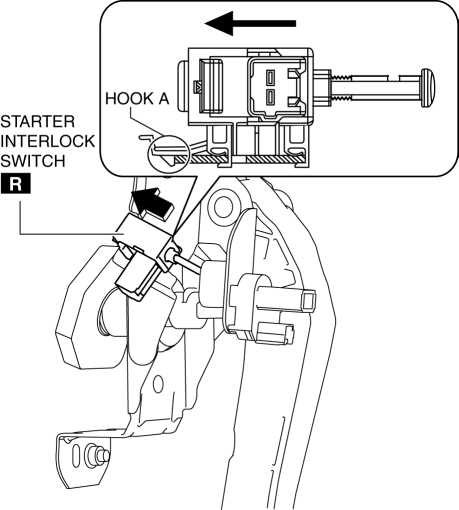
3. Remove the starter interlock using the following procedure:
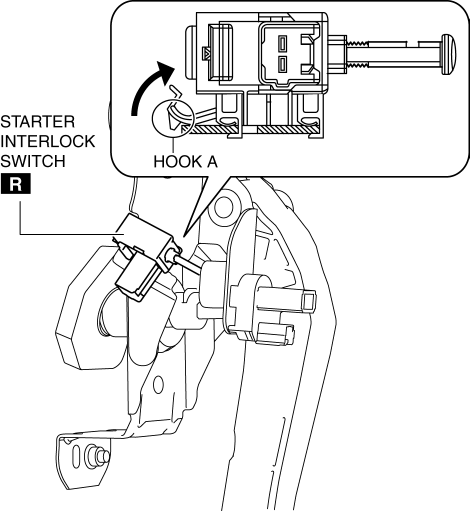
a. Detach hook A in the direction of the arrow shown in the figure.
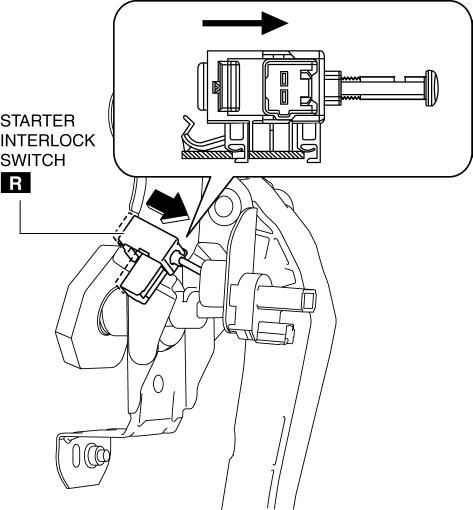
b. Slide the starter interlock switch in the direction of the arrow shown in the figure.
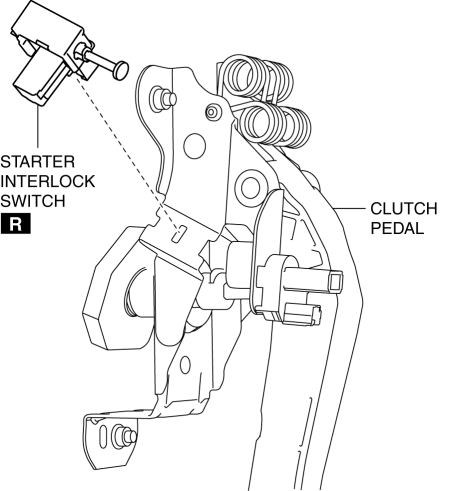
c. Remove the starter interlock switch from the clutch pedal.
4. Install the starter interlock using the following procedure:
a. Insert hook B of the starter interlock switch into the clutch pedal hole.
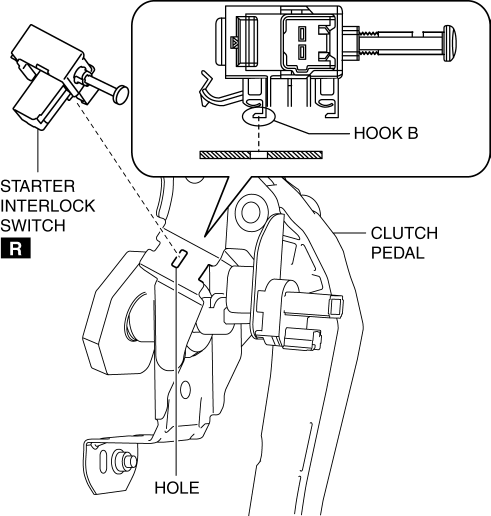
b. While pressing the starter interlock switch against the clutch pedal, slide the starter interlock switch until hook A is locked in the direction of the arrow shown in the figure.
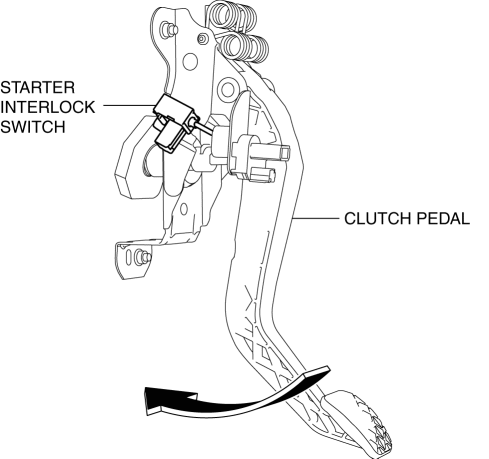
5. Fully depress the clutch pedal in the direction of arrow, and verify that a click sound from the starter interlock switch is heard.
6. Install in the reverse order of removal.
7. Fully depress the clutch pedal, and verify that the engine starts.
 Starter Interlock Switch Inspection [Skyactiv G 2.0]
CAUTION:
Do not reuse the starter interlock switch if it is removed from the vehicle
even once. Replace with a new starter interlock switch when installing.
1. Disconnect the negative ...
 Starter Interlock Switch [Skyactiv G 2.0]
Purpose, Function
The starter interlock switch mechanism prevents vehicle surge when the engine
is started, enhancing safety. The engine cannot be started unless the clutch
is depressed.
...
Other materials:
Throttle Body Inspection
Resistance Inspection
1. Disconnect the negative battery cable..
2. Disconnect the throttle body connector.
3. Measure the resistance between throttle body terminals E and F.
Throttle body resistance
1.38 ohms [20°C {68 °F}]
If not as specified, replace the throttle ...
Liftgate
WARNING
Never allow a person to ride in the luggage compartment:
Allowing a person to ride in the luggage compartment is dangerous.
The person in the luggage compartment could be seriously injured or killed during
sudden braking or a collision.
Do not drive with the liftgate open:
Exhaust gas ...
On/Off Solenoid [Fw6 A EL, Fw6 Ax EL]
Purpose/Function
The on/off solenoid performs switching of the shift valve in the control
valve body according to the vehicle conditions.
Construction
The on/off solenoid is installed to the solenoid control valve body.
The on/off solenoid is a normal open-type on/off ...
