
Mazda CX-5 Service & Repair Manual: Quick Release (Fuel System) Connector
Purpose, Function
-
Serviceability has been improved by the easy disconnection/connection.
Construction
-
The following types of the quick release connectors are used.
U.S.A. and CANADA
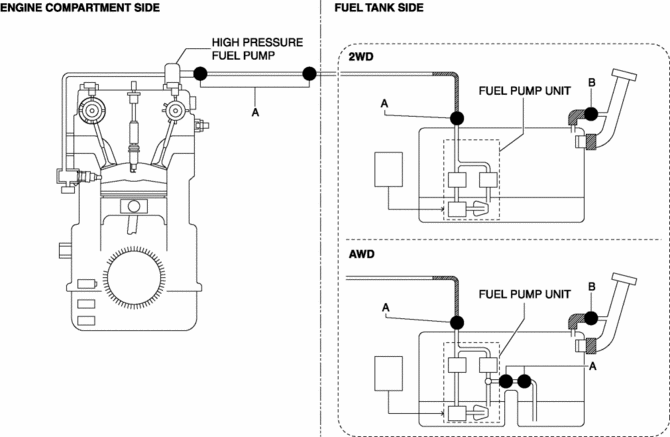
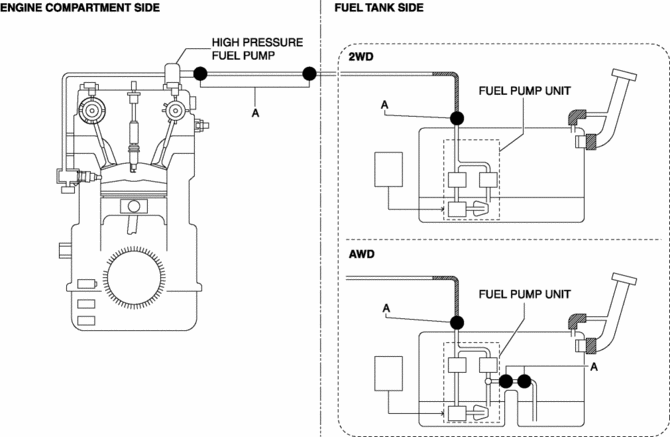
Except U.S.A. and CANADA
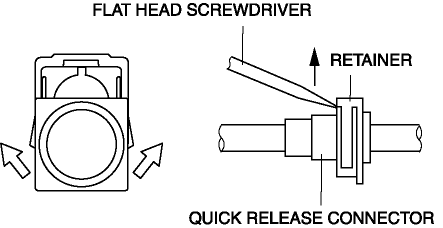
Type A
-
An SST is not used with this type.
-
Mainly consists of a retainer and O-ring. The quick release connector is integrated with the fuel hose and therefore cannot be disassembled.
-
When the quick release connector is connected, the fuel pipe projection is locked at the clamp lock point. To release the quick connector lock for each type, follow the procedure in the order shown in each figure.
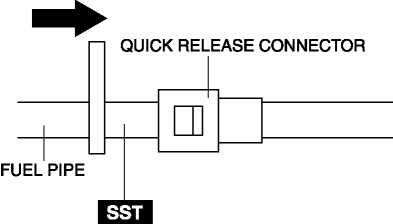
Type B
-
An SST is used with this type.
-
Consists of a retainer and O-ring. The quick release connector is integrated with the fuel hose and therefore cannot be disassembled.
-
To connect the quick release connector properly, push it into the fuel pipe until a click sound is heard.
-
New quick release connectors are fitted with a checker tab that prevent improper installation. This checker tab cannot normally be removed. When the quick release connector is properly connected to the fuel pipe, the lock is released and the checker tab comes off. Due to this, it can be verified that the quick release connector is completely connected.
 No.28 Fuel Filling Shut Off Concerns
28
FUEL FILLING SHUT OFF CONCERNS
DESCRIPTION
Fuel does not shut off properly.
POSSIBLE CAUSE
...
 Quick Release Connector Removal/Installation
WARNING:
Fuel is very flammable liquid. If fuel spills or leaks from the pressurized
fuel system, it will cause serious injury or death and facility breakage. Fuel
can also irritate skin ...
Other materials:
Valve, Valve Spring, Valve Seal, Valve Guide
Purpose, Function
Valve
The intake valve is pressed down by the cam, the intake air passage is opened,
and air is introduced into the cylinder.
The exhaust valve is pressed down by the cam, the exhaust air passage is
opened, and combustion gas is exhausted from the cylinder.
...
Propeller Shaft On Vehicle Inspection
Joint Area Excessive Play Inspection
1. Shake the universal joint by hand and verify that there is no excessive play.
2. If there is any excessive play, replace the propeller shaft..
Propeller Shaft Runout Inspection
CAUTION:
Do not rotate the propeller shaft using engine force wh ...
Rear Washer Nozzle Adjustment
CAUTION:
If the nozzle angle is adjusted with excessive force by strongly inserting
a needle or similar thin tool into the injection nozzle of rear washer nozzle,
it could damage the nozzle internally. When adjusting the nozzle, be careful
not to apply excessive force.
1. Inse ...
