
Mazda CX-5 Service & Repair Manual: Rain Sensor Removal/Installation
1. Disconnect the negative battery cable..
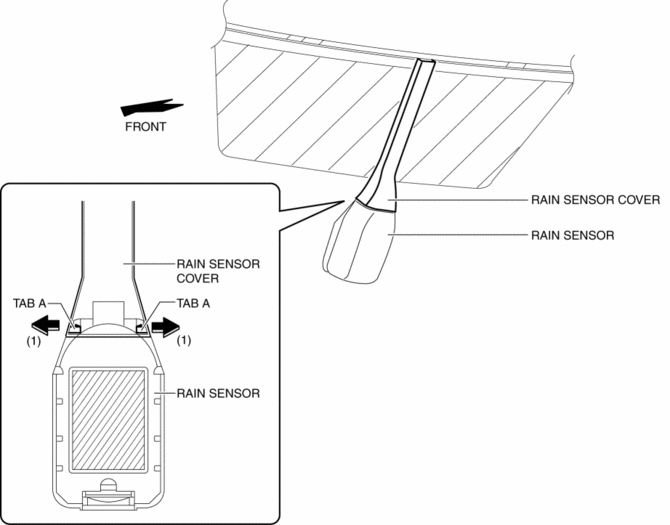
2. Spread open the rain sensor cover in the direction of the arrows (1) and disengage tabs A to remove it.
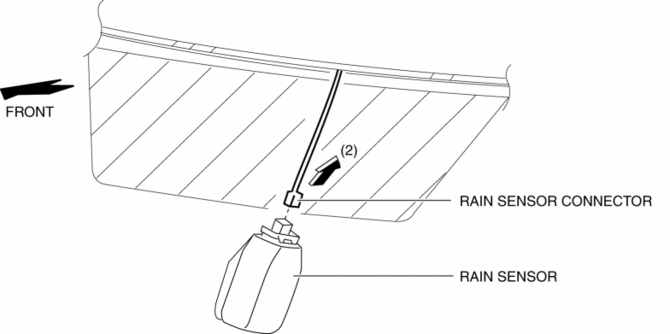
3. Disconnect the rain sensor connector in the direction of the arrow (2).
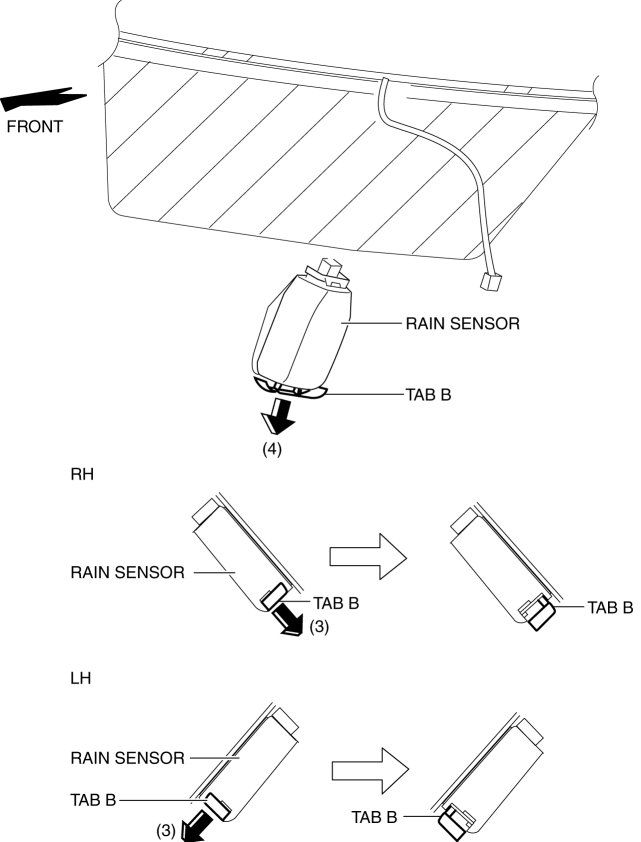
4. Slide rain sensor tabs B in the direction of the arrow (3) shown in the figure, detach the engagement, and pull tab B in the direction of the arrow (4).
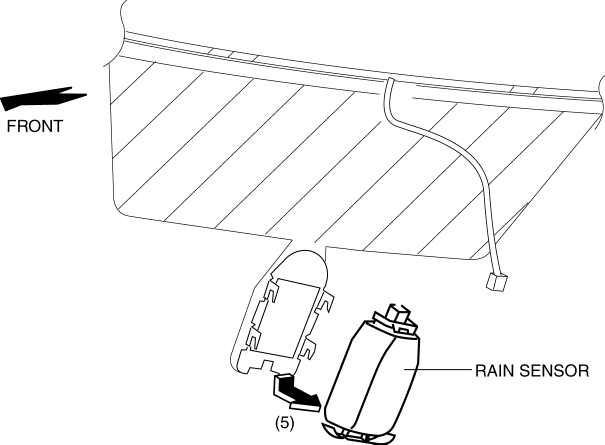
5. Remove the rain sensor in the direction of the arrow (5) shown in the figure.
6. Peel off the rain sensor protective sheet from the rain sensor.
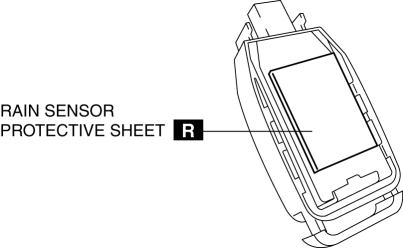
7. Install in the reverse order of removal..
8. Perform headlight auto light setting..
CAUTION:
-
If the rain sensor is replaced, the auto light system may not operate normally because the auto light sensitivity setting is initialized. If the rain sensor is replaced, perform the auto light sensitivity setting.
-
If the auto light sensitivity setting before replacing the rain sensor was "Medium", and the following sensitivity setting procedure is not performed, the sensor will be unable to detect the illumination level correctly and the auto light system will not operate normally. If the rain sensor is replaced, perform the following sensitivity setting procedure.
-
Except for "Medium" sensitivity setting.
-
Re-setting to "Medium".
Rain Sensor Installation Note
CAUTION:
-
If the rate at which the rain sensor reflects or transmits infrared light between the rain sensor and the windshield, or through the protective sheet is changed, the rain sensor will determine that there is a malfunction in the rain detection function and stop auto wiper system control. Be careful of the following when installing the rain sensor:
-
Do not reuse the rain sensor protective sheet
-
Do not touch the rain sensor lens, rain sensor protective sheet, and sensor installation area on windshield with your fingers
-
Verify that there is no air bubble after installing the rain sensor
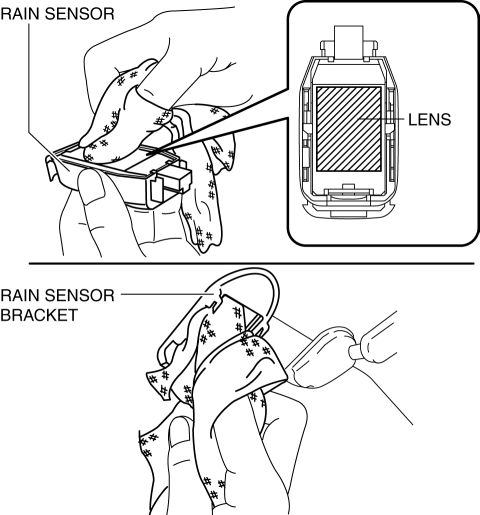
1. Wipe off any oil or dirt from the rain sensor lens and the windshield using a clean rag.
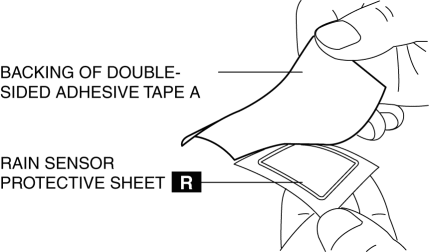
2. Peel off backing of double-sided adhesive tape A from the rain sensor protective sheet.
3. Adhere the rain sensor protective sheet to the rain sensor lens.
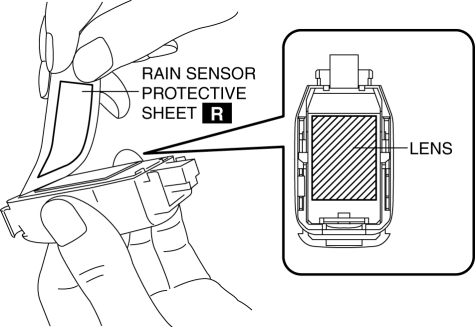
4. Peel off backing of double-sided adhesive tape B from the rain sensor protective sheet.
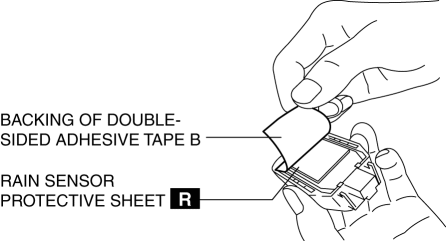
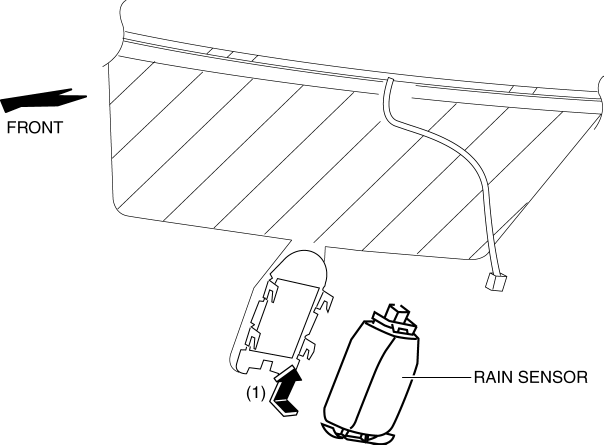
5. Install the rain sensor in the direction of the arrow (1).
6. Press the rain sensor in the direction (direction of arrow (2)) of the windshield and press out any air bubbles.
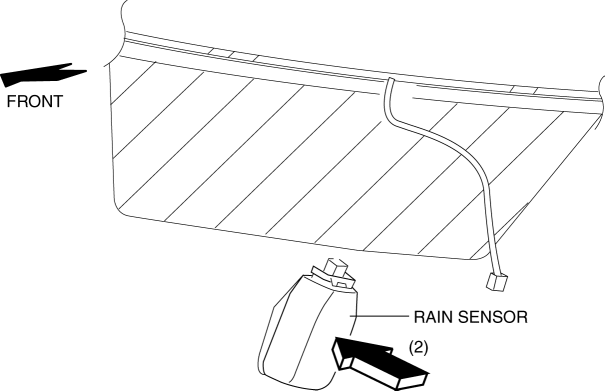
7. Verify that there is no air bubble between the rain sensor and the windshield.
 Rain Sensor
Outline
The rain sensor detects the amount of rainfall and calculates the wiper operation
speed, and outputs a windshield wiper control signal to the front body control
module (FBCM) to p ...
 Wiper And Washer Switch Removal/Installation
1. Switch the ignition ON (engine off or on).
2. Open the driver's door.
3. Switch the ignition OFF.
4. Disconnect the negative battery cable..
5. Remove the column cover..
6. Rotate the ...
Other materials:
Air Bag Module And Pre Tensioner Seat Belt Deployment Procedures [Standard Deployment
Control System]
WARNING:
A live (undeployed) air bag module or pre-tensioner seat belt may accidentally
operate (deploy) when it is disposed of and cause serious injury. Do not dispose
of a live (undeployed) air bag module or pre-tensioner seat belt. If the SSTs
(Deployment tool and Adapter harness ...
Oil Cooler Removal/Installation
WARNING:
Hot engines and engine oil can cause severe burns. Turn off the engine and
wait until it and the engine oil have cooled.
A vehicle that is lifted but not securely supported on safety stands is dangerous.
It can slip or fall, causing death or serious injury. Never work ...
Reduction Gear
Purpose/ Function
The reduction gear transmits the rotation input from the EPS motor, decreasing
the rotation speed and increasing the torque simultaneously.
Construction
The reduction gear consists of the worm wheel located on the steering column
main shaft and the worm sh ...
