
Mazda CX-5 Service & Repair Manual: Heater Hose Removal/Installation
With Water Temperature Sensor
1. Remove the battery..
2. Drain the engine coolant..
3. Remove the insulator.
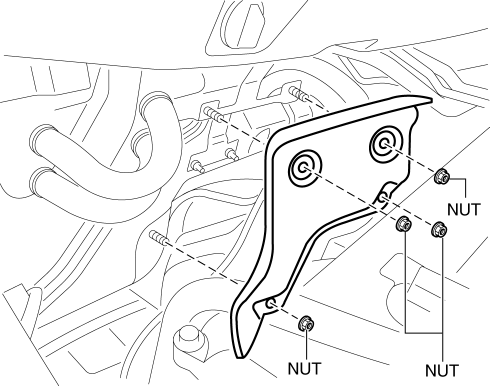
4. Remove the clips and remove the heater hose.
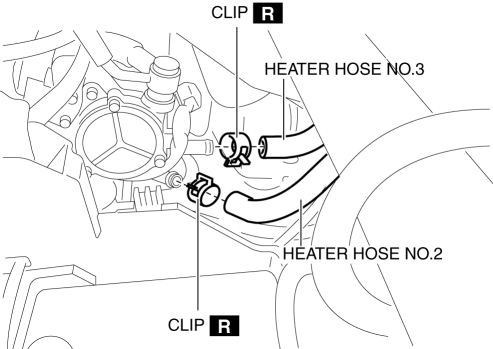
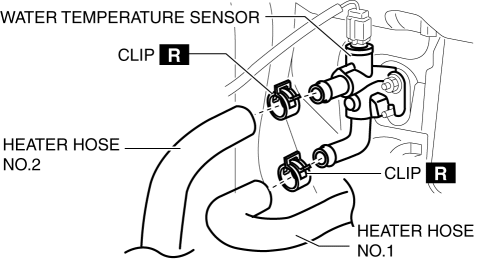
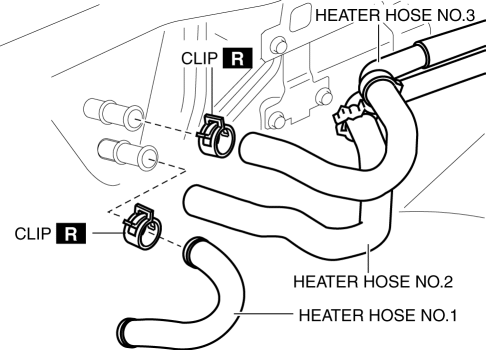
5. Remove the heater hose.
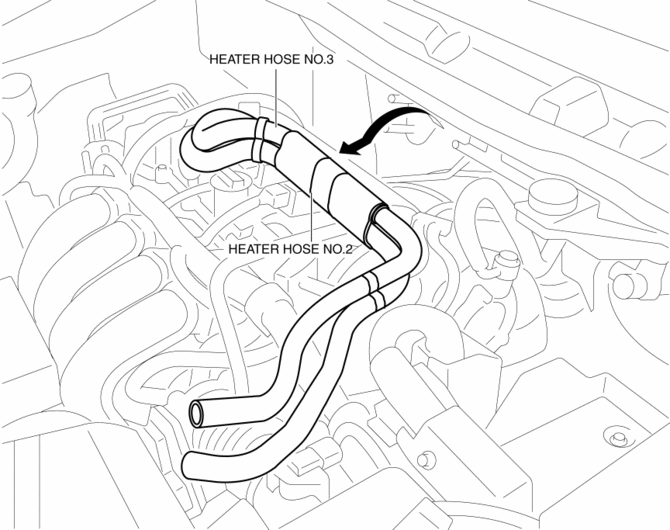
6. Install in the reverse order of the removal.
7. Inspect for engine coolant leakage..
Without Water Temperature Sensor
1. Remove the battery..
2. Drain the engine coolant..
3. Remove the insulator.
4. Remove the clips and remove the heater hose.
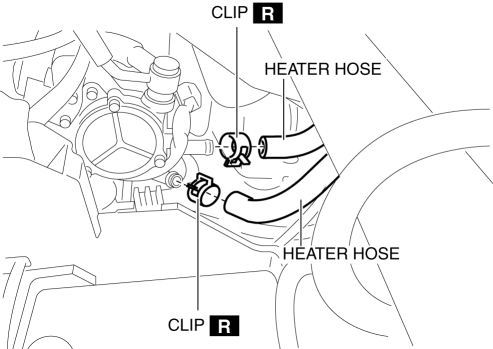
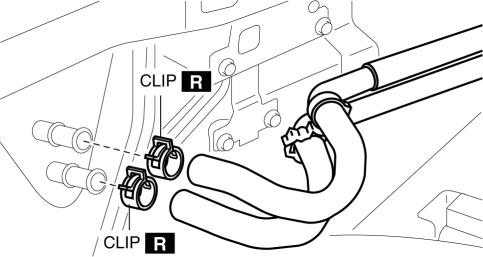
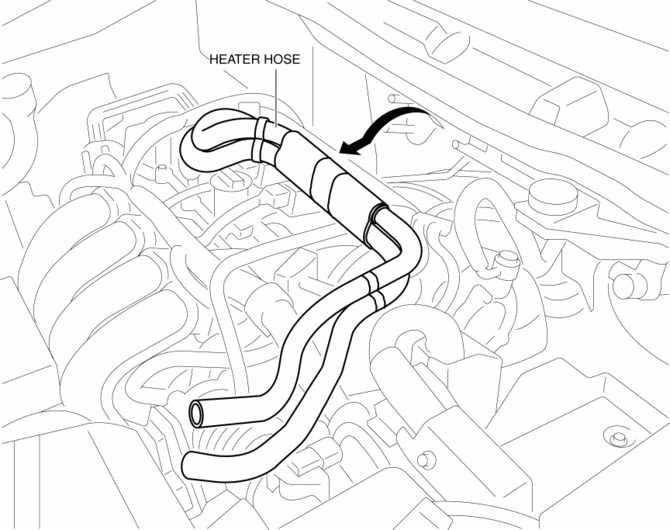
5. Install in the reverse order of the removal.
6. Inspect for engine coolant leakage..
 Heater Core Inspection
1. Inspect the heater core for damage, cracks, and water leakage.
If there is any malfunction, replace the heater core.
2. Visually inspect the fins for bending.
If there is any ...
 Rear Heat Duct Removal/Installation
1. Disconnect the negative battery cable..
2. Remove the following parts:
a. Decoration panel.
b. Shift lever knob (MTX).
c. Front console box.
d. Shift panel.
e. Upper panel.
f. Rear co ...
Other materials:
Audio Set (Type B)
CAUTION
Do not press the panel strongly or press it with a sharp-pointed object. Otherwise,
the panel could be damaged.
1 Power/Volume/Display/Sound Controls
2 Operating the Radio
3 Operating the Satellite Radio
4 Operating the Compact Disc (CD) Player
5 How to use the Auxiliary jack/U ...
Manual Air Conditioner Control System [Manual Air Conditioner]
Outline
The climate control unit performs the following controls based on the signals
from each switch/dial and the sensor.
A/C compressor control
Defroster control
Block Diagram
Outline of Control System
Manual air conditioner has the follo ...
General Procedures (Brake)
Wheel and Tire Installation
1. When installing the wheels and tires, tighten the wheel nuts in a criss-cross
pattern to the following tightening torque.
Tightening torque
108—147 N·m {12—14 Kgf·m, 80—108 ft·lbf}
Brake Lines Disconnection
1. If any brake line has been ...
