
Mazda CX-5 Service & Repair Manual: Splash Shield Removal/Installation
Front
Front splash shield No.1
1. Set the mudguard aside..
2. Remove fasteners A.
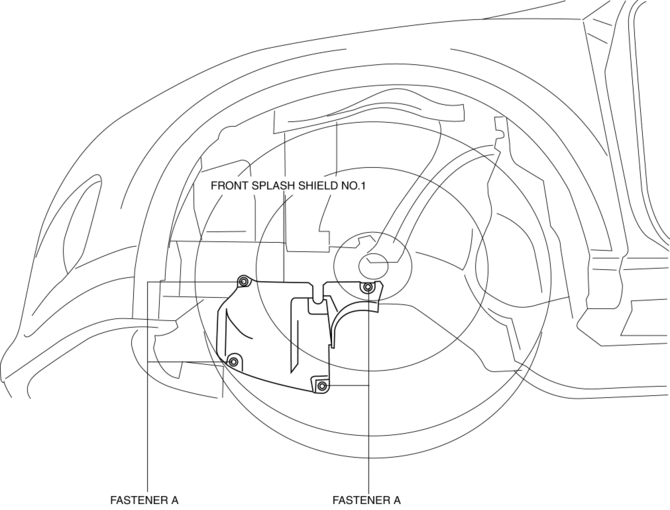
3. Remove the front splash shield No.1.
4. Install in the reverse order of removal.
Front splash shield No.2
1. Remove screw B.
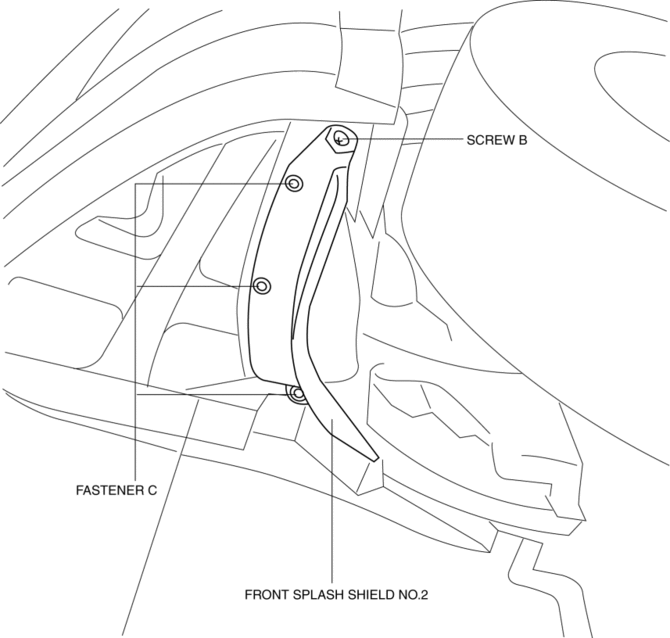
2. Remove fasteners C.
3. Remove the front splash shield No.2.
4. Install in the reverse order of removal.
Rear splash shield
1. Set the rear over fender aside..
2. Remove screws D.
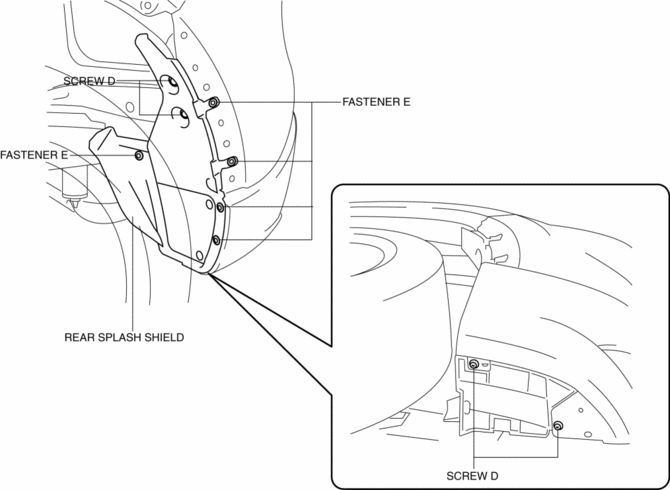
3. Remove fasteners E.
4. Remove the rear splash shield.
5. Install in the reverse order of removal.
 Speaker Grille Removal/Installation
Center Speaker Grille
1. Insert a tape-wrapped flathead screwdriver into shown in the figure and remove
hooks A in the direction of arrow (1).
2. Take the shaded area shown in the figure, and ...
 Underbody Dimensions [Dimensions]
NOTE:
The following figure is a bottom view.
Point symbol
Designation
Hole diameter or bolt or nut size mm {in}
A
...
Other materials:
Control System Personalization Features Setting Procedure
1. Connect the M-MDS to DLC-2.
2. After the vehicle is identified, select the following items from the initial
screen of the M-MDS.
Select the “Module Programming”.
Select “Programmable Parameters”.
Select menu in the R_BCM.
3. Select an item name, and then ...
Brake
Brake System
Foot Brake
Your Mazda has power-assisted brakes that adjust automatically through normal
use.
Should power-assist fail, you can stop by applying greater force than normal
to the brake pedal. But the distance required to stop will be greater than usual.
WARNING
Do not coast wi ...
Car Navigation System Does Not Operation [Car Navigation System]
Possible DTC
Even if the map screen is touched, the car-navigation system cannot be
operated
POSSIBLE CAUSE
Audio unit malfunction (bad LCD panel)
Car-navigation unit malfunction
Diagnosti ...
