
Mazda CX-5 Service & Repair Manual: Rear Side Frame Removal [Panel Replacement]
Symbol Mark

Removal Procedure
NOTE:
-
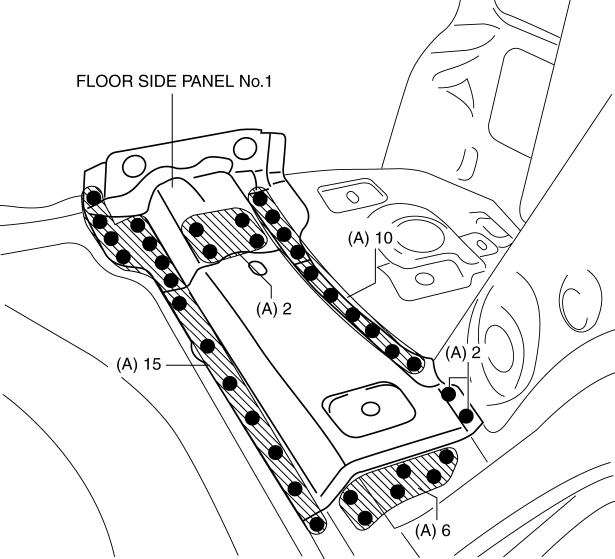
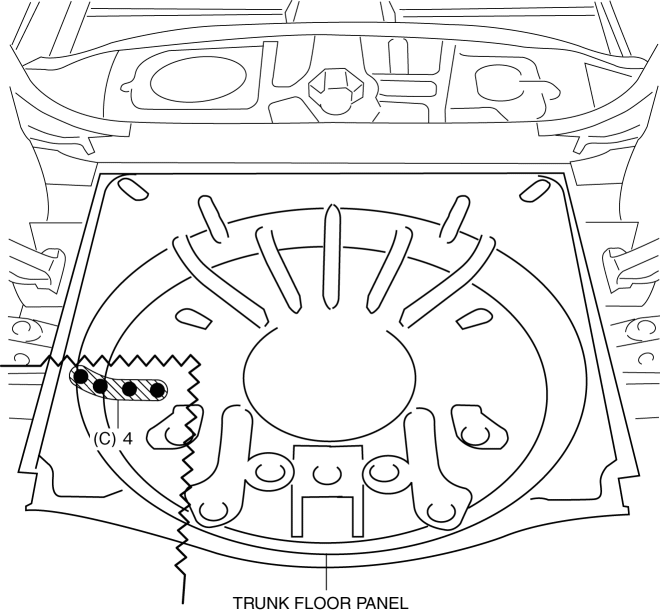
When drilling the 35 locations indicated by (A) and 4 locations indicated by (C) shown in the figure, do not drill a hole all the way through or there could be a problem when installing the new part.
1. Drill the 35 locations indicated by (A) shown in the figure, then remove the floor side panel No.1.
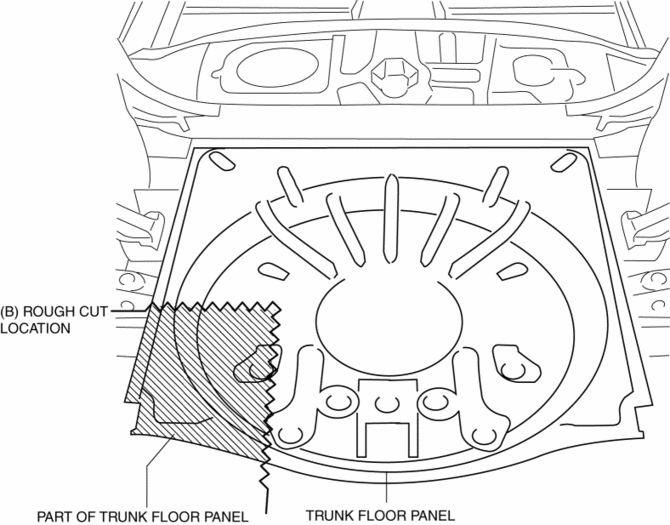
2. Rough cut area location indicated by (B) shown in the figure.
3. Drill the 4 locations indicated by (C) shown in the figure, then remove the part of trunk floor panel.
4. Drill the 8 locations indicated by (D) shown in the figure.
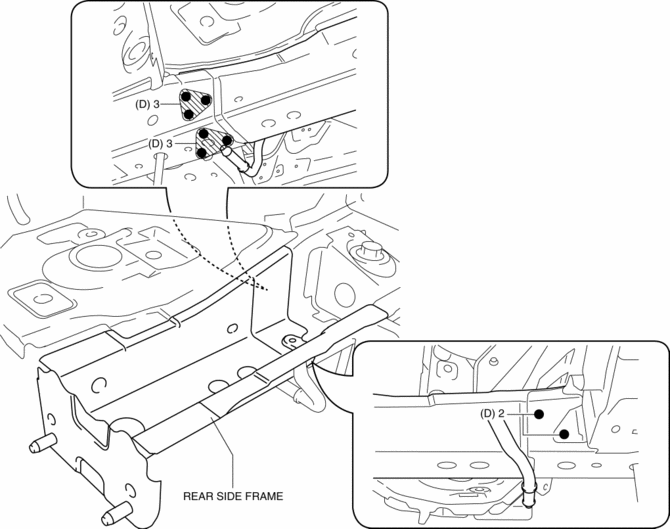
5. Remove the rear side frame.
 Rear Side Frame Installation [Panel Replacement]
Symbol Mark
Installation Procedure
1. When installing new parts, measure and adjust the body as necessary to conform
with standard dimensions.
2. Drill holes for the plug welding before inst ...
 Room Straight Line Dimensions (1) [Dimensions]
Point symbol
Designation
Hole diameter or bolt or nut size mm {in}
A
Front pillar inner datum hole
?7 {0.3}
...
Other materials:
Fuel Injector Inspection
Resistance Inspection
1. Disconnect the negative battery cable..
2. Remove the plug hole plate..
3. Disconnect the fuel injector connector.
4. Inspect the resistance between fuel injector terminals A and B.
Fuel injector resistance
1.74—2.04 ohms [20 °C {68 °F}]
...
Washer Motor Removal/Installation
1. Disconnect the negative battery cable..
2. Set the front over fender aside..
3. Set the mudguard (RH) aside..
4. Remove the front bumper..
5. Disconnect the washer motor connector from the washer motor.
6. Disconnect the windshield washer hose from the washer motor.
7. Disconnect the ...
Tcs Control
Outline
The TCS control actuates torque reduction through engine control, as well
as using brake control to control traction.
NOTE:
Engine control: Engine output is lowered by fuel cut and ignition timing
control to reduce the traction, preventing driving wheel slip.
...
