
Mazda CX-5 Service & Repair Manual: Map Light Bulb Removal/Installation
Front Map Light
1. Disconnect the negative battery cable..
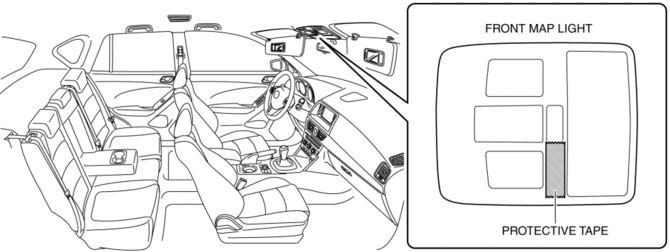
2. To prevent scratches or damage, affix protective tape to the position shown in the figure.
CAUTION:
-
If a flathead screwdriver is inserted into the gap between the front map light and lens, the front map light could interfere with the flathead screwdriver resulting in damage to the front map light. When removing the lens from the front map light, perform the procedure after affixing protective tape to the front map light.
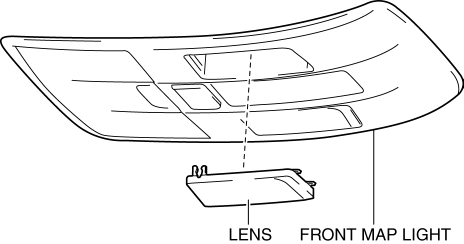
3. Press the lens to secure a sufficient space for inserting a flathead screwdriver.
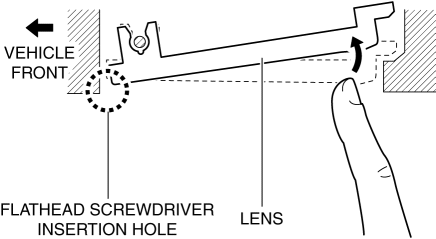
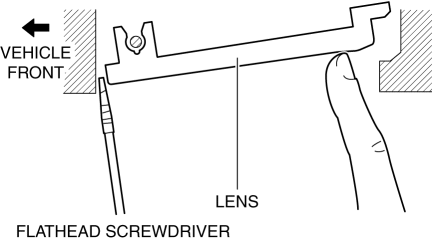
4. Insert a tape-wrapped flathead screwdriver into the gap between the lens and front map light shown in the figure.
5. Move the flathead screwdriver in the direction of the arrow (1) shown in the figure, pull out the lens from the front map light, and detach the front map light pin and lens.
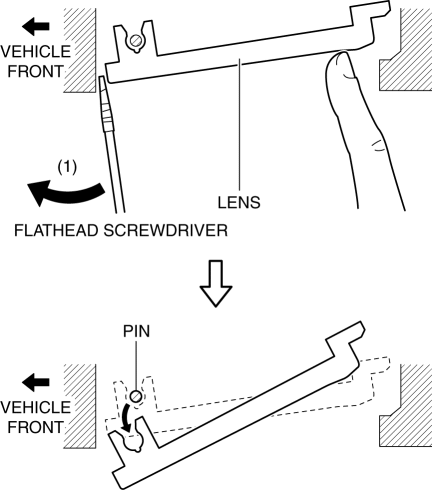
6. Remove the lens.
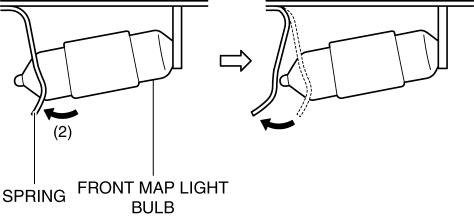
7. Press the front map light spring in the direction of the arrow (2) shown in the figure and detach the front map light spring and front map light bulb.
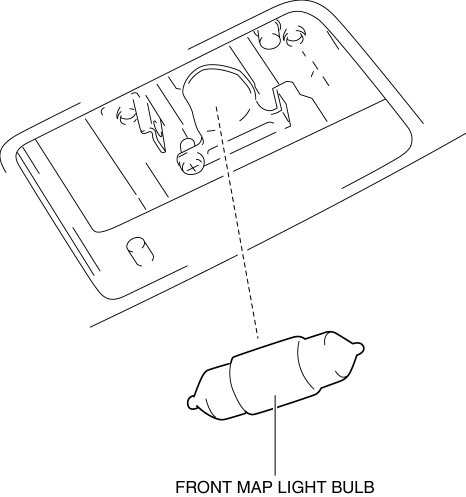
8. Remove the front map light bulb.
9. Install in the reverse order of removal.
Rear Map Light
1. Disconnect the negative battery cable..
2. To prevent scratches or damage, affix protective tape to the position shown in the figure.
CAUTION:
-
If a flathead screwdriver is inserted into the gap between the rear map light and lens, the rear map light could interfere with the flathead screwdriver resulting in damage to the rear map light. When removing the lens from the rear map light, perform the procedure after affixing protective tape to the rear map light.
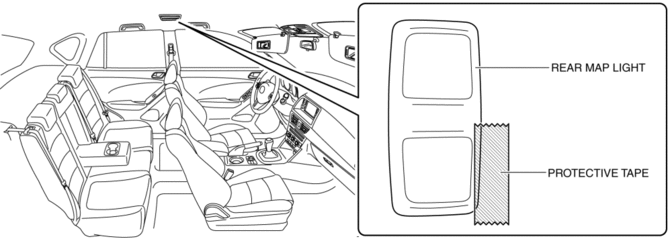
3. Press the lens to secure a sufficient space for inserting a flathead screwdriver.
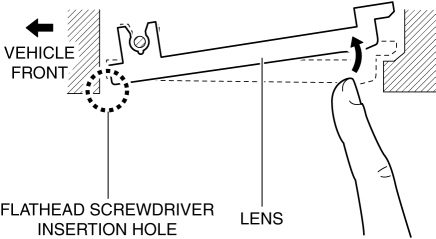
4. Insert a tape-wrapped flathead screwdriver into the gap between the lens and rear map light shown in the figure.
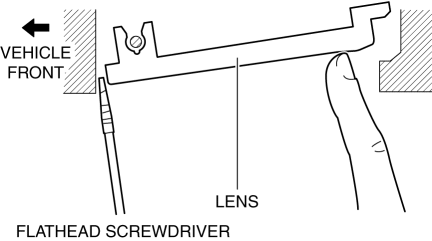
5. Move the flathead screwdriver in the direction of the arrow (1) shown in the figure, pull out the lens from the rear map light, and detach the rear map light pin and lens.
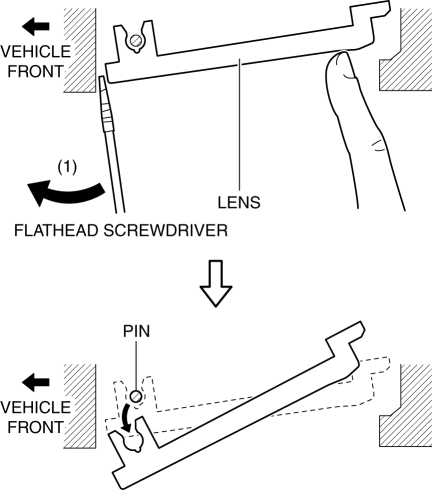
6. Remove the lens.
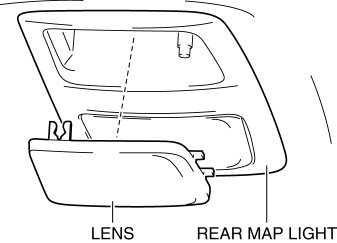
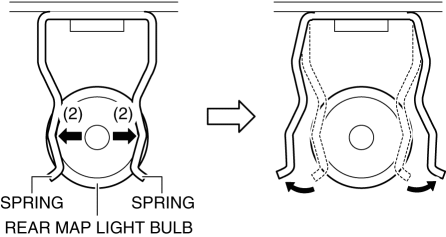
7. Move the rear map light spring in the direction of the arrow (2) shown in the figure and detach the rear map light spring and rear map light bulb.
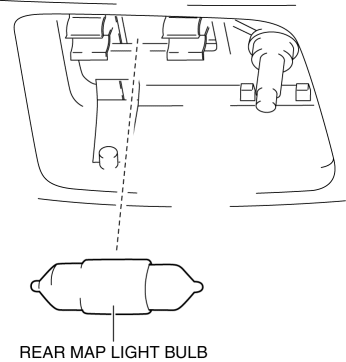
8. Remove the rear map light bulb.
9. Install in the reverse order of removal.
 Interior Lighting System
Outline
A room light control system has been adopted in which illumination time and
illumination level of the interior lights change.
The rear body control module (RBCM) performs roo ...
 Map Light Inspection
Front Map Light
1. Disconnect the negative battery cable..
2. Remove the front map light..
3. Verify that the continuity between the front map light terminals is as indicated
in the table.
...
Other materials:
Electric Variable Valve Timing Actuator
Purpose, Function
The electric variable valve timing actuator changes the phases of the intake
camshaft relative to the crankshaft. As a result, the open/close period of the
intake valve is changed, optimized valve timing in accordance with driving conditions
is realized, output is i ...
Decoration Panel Removal/Installation
CAUTION:
Affix protective tape to the position shown in the figure.
1. Disconnect the negative battery cable..
2. Open the glove compartment.
3. Insert a tape-wrapped flathead screwdriver in the position indicated by the
arrow (1) in the figure and detach clip A.
4. ...
Tire Pressure Monitoring System Warning Light
Purpose, Function
The tire pressure monitoring system warning light notifies the driver that
it was determined that a tire pressure has decreased below the specified value
based on the initialization.
The tire pressure monitoring system warning light notifies the driver that
...
