
Mazda CX-5 Service & Repair Manual: Front Fog Light Aiming
NOTE:
-
Perform front fog light aiming if any of the following work is performed.
-
Front fog light replacement
-
Work that can affect vehicle height such as suspension replacement or removal/installation.
1. Empty the vehicle by having all occupants leave the vehicle and remove all the cargo except for the spare tire, jack and tools equipped on the vehicle.
2. Adjust the air pressure of each tire to the specified value..
3. Move the vehicle to level ground.
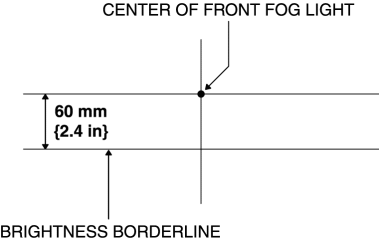
4. Make a screen shown in the figure using double-weight, white paper. (Common for right and left)
5. Line up the vehicle with the wall so that the distance to the front fog lights is 3 m {9.8 ft}
from the wall.
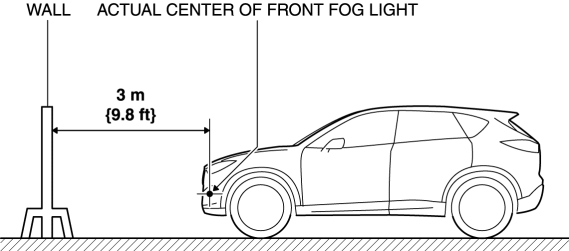
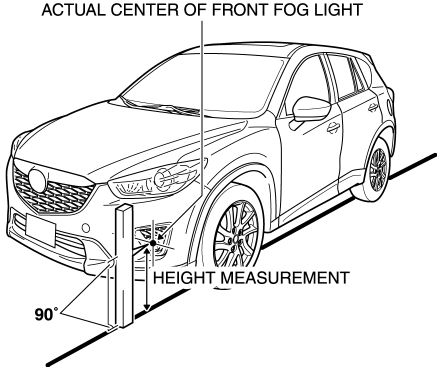
6. Measure the height at the center point of the front fog light.
NOTE:
-
Measure the height at the center point of the front fog light in which the aiming is being adjusted because the vehicle height differs depending on vehicle conditions.
7. Align the center point of the front fog light with the center of the screen.
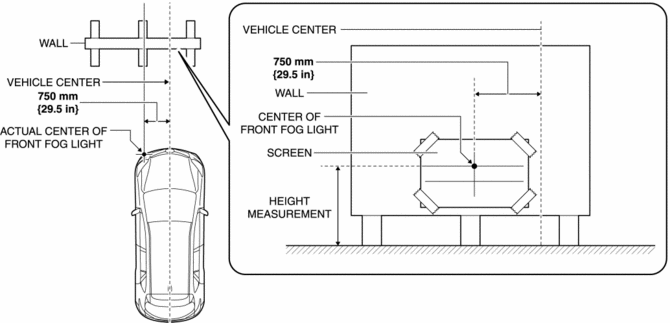
8. Set a partition in front of the front fog light which is not being adjusted to block the light.
9. Start the engine and charge the battery.
10. Turn on the front fog lights.
11. Verify that the brightness border line of the front fog light is at the position indicated on the adjustment screen.
-
If the brightness border line is not at the position indicated on the adjustment screen, perform the following adjustment.
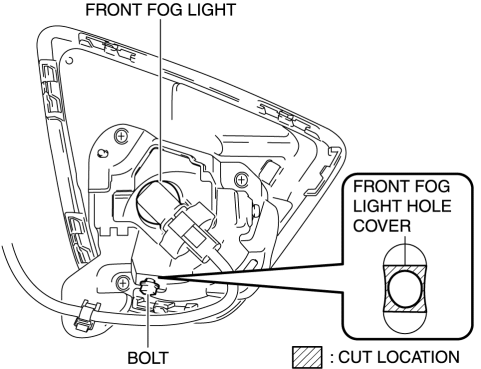
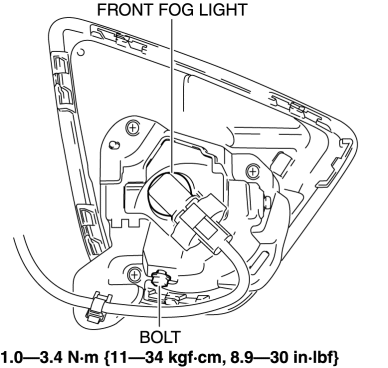
a. Remove the bolt before cutting the front fog light hole cover located on the bolt installation hole.
b. Move the front fog light in the direction of the arrow shown in the figure to secure a space for cutting the front fog light hole cover.
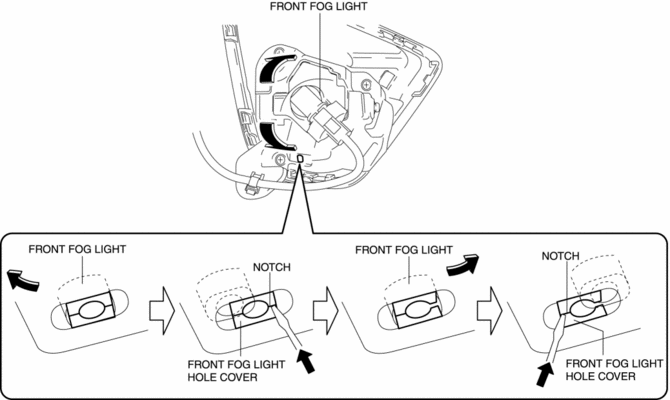
c. Press the notch of the front fog light hole cover using a flathead screwdriver and cutout the front fog light hole cover.
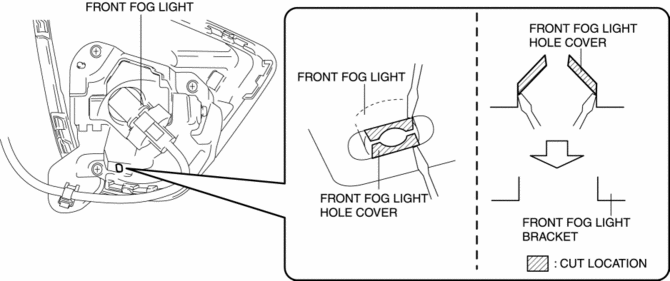
d. Cutout the hatch-marked area of the front fog light hole cover shown in the figure using a flathead screwdriver.
NOTE:
-
Remove all the shaded area shown in the figure so that the front fog light hole cover does not interfere with the bolt.
e. Temporarily tighten the bolt.
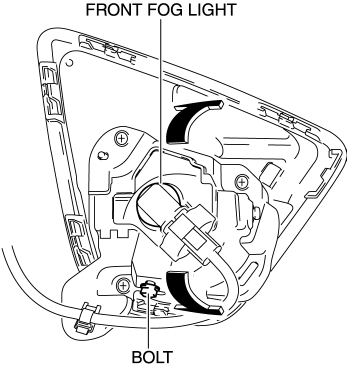
f. Move the front fog light in the direction of the arrow shown in the figure to adjust the brightness border line to the position indicated on the adjustment screen.
g. Tighten the bolt.
 Front Fog Light
Purpose
By shining light in a wider area in front of the vehicle than the light from
the headlights, visibility during poor weather conditions, such as rain and
fog, has been improved. In ...
 Front Fog Light Bulb Removal/Installation
1. Disconnect the negative battery cable..
2. Remove the mudguard screws.
3. Disconnect the connector.
4. Rotate the front fog light bulb in the direction of the arrow (1) shown in
the ...
Other materials:
Front Fender Junction Installation [Panel Replacement]
Symbol Mark
Installation Procedure
1. When installing new parts, measure and adjust the body as necessary to conform
with standard dimensions.
2. Drill holes for the plug welding before installing the new parts.
3. After temporarily installing new parts, make sure the related parts fit p ...
Radiator Removal/Installation
WARNING:
Never remove the cooling system cap or loosen the radiator drain plug while
the engine is running, or when the engine and radiator are hot. Scalding engine
coolant and steam may shoot out and cause serious injury. It may also damage
the engine and cooling system.
Tu ...
Front Map Light
Purpose
The front map lights shine light at the front of the vehicle interior.
Function
The front map lights illuminate when the map light switch is turned on.
Illuminates according to the lock condition of the driver's door and open/close
conditions of the doors u ...
