
Mazda CX-5 Service & Repair Manual: Windshield Wiper Arm And Blade Removal/Installation
Windshield Wiper Arm
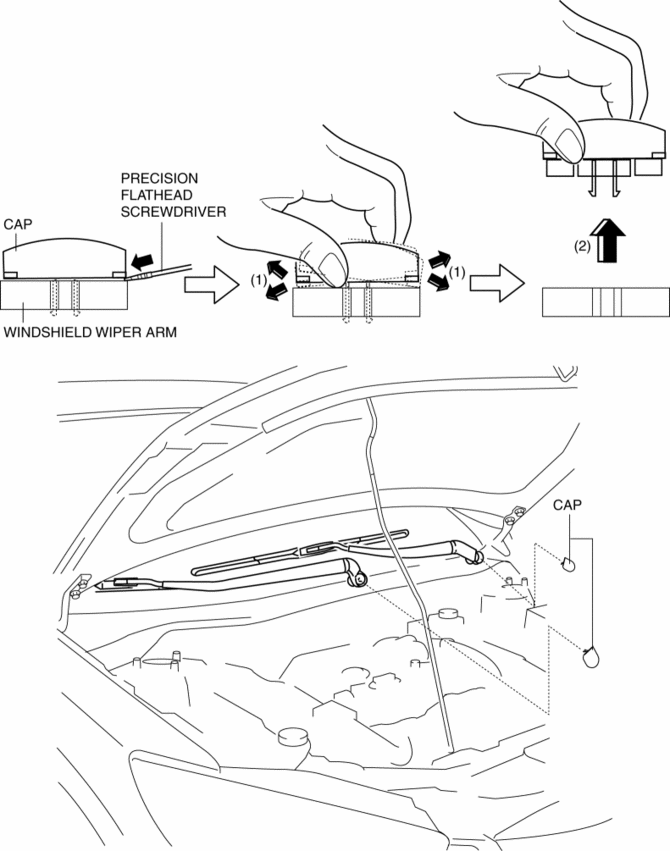
1. Open the hood.
CAUTION:
-
If excessive force is applied when removing the cap, tabs could break. Carefully remove the cap.
2. Insert a tape-wrapped precision flathead screwdriver into the gap between the windshield wiper arm and cap, and slightly raise the cap.
3. Detach cap tabs from the windshield wiper arm while slightly moving the cap in the direction of the arrows (1) shown in the figure, carefully pull it up in the direction of the arrow (2), and remove it.
4. Loosen nuts until it is jointed temporarily with the windshield wiper arm pressed as shown in the figure.
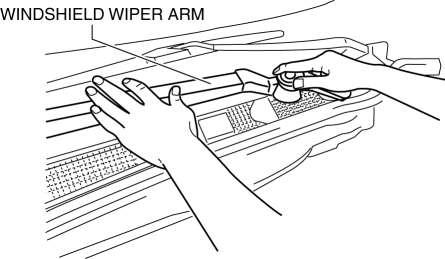
5. Close the hood.
6. Raise the windshield wiper arm as shown in the figure and pull it up until the temporary joint nut points outward in the direction of the arrow (1) from the serrated connecting part.
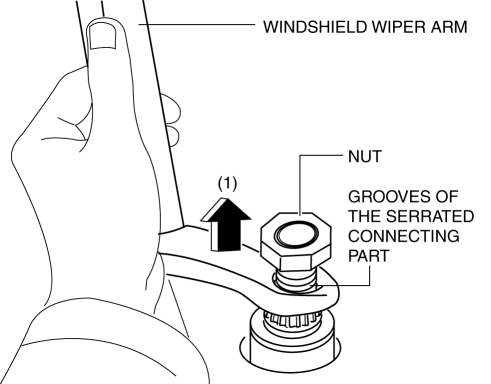
CAUTION:
-
Always temporarily tighten the temporary joint nut when removing the windshield wiper arm. If it is removed from the serrated connecting part without temporarily tightening the nut, the windshield wiper arm could contact the hood.
7. Remove the nut.
8. Remove the windshield wiper arm..
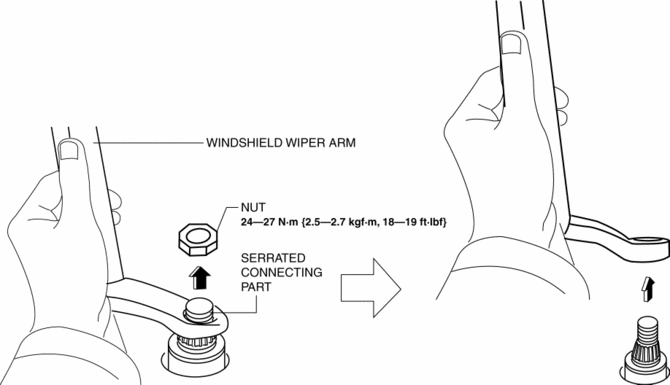
9. Install in the reverse order of removal.
10. Adjust the windshield wiper arm and blade..
Windshield Wiper Blade
CAUTION:
-
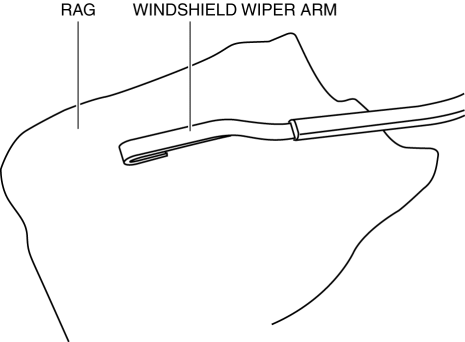
If the windshield wiper arm end is placed directly on the windshield after removing the windshield wiper blade, it could scratch the windshield. If the windshield wiper arm end is placed on the windshield, place it on a rag to protect the windshield.
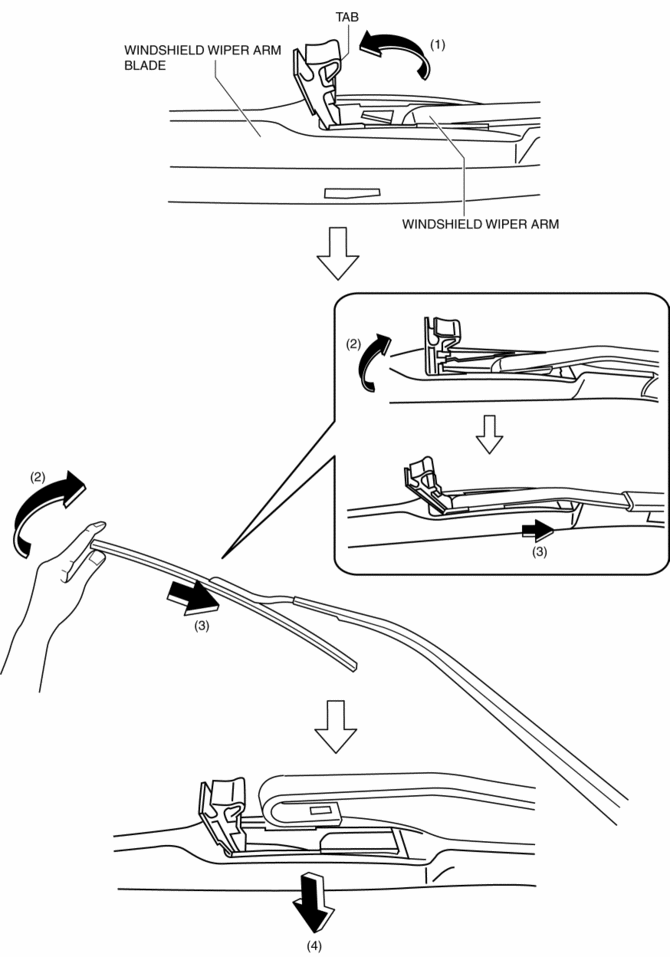
1. Pull the windshield wiper blade tab up in the direction of the arrow (1).
2. Press the windshield wiper blade end in the direction of the arrow (3) while tilting it in the direction of the arrow (2).
3. Remove the windshield wiper blade in the direction of the arrow (4) from the windshield wiper arm.
4. Install in the reverse order of removal.
Windshield Wiper Arm Installation Note
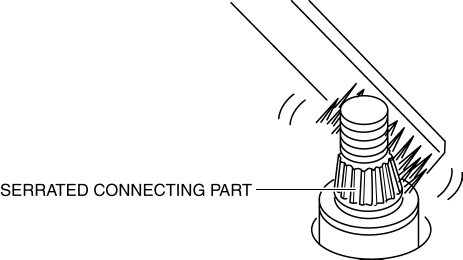
1. Clean the serrated connecting part with a wire brush before installing the windshield wiper arm.
 Windshield Wiper Arm And Blade Adjustment
1. Switch the ignition ON (engine off or on).
2. Operate the windshield wiper at low speed.
3. Verify that the windshield wiper operates at low speed and stop the windshield
wiper.
4. Verify t ...
 Windshield Wiper Motor
Purpose
The windshield wiper motor transmits rotation force to the windshield wiper
link to operate the windshield wiper arms and blades.
Function
The windshield wiper motor ope ...
Other materials:
Hazard Warning Switch Removal/Installation
1. Disconnect the negative battery cable..
2. Remove the decoration panel..
3. While pressing the hazard warning switch tab in the direction of the arrow
(1) shown in the figure, press the hazard warning switch in the direction of the
arrow (2) shown in the figure to detach the hazard warnin ...
Steering Shaft Inspection
1. Inspect the steering column for excessive play and damage.
2. Verify that the clearance between the projection on the steering column shown
in the figure and the bracket is less than 2.0 mm {0.079 in}.
If the clearance between the projection and bracket is 2.0 mm {0.079 in}
or ...
Center Pillar Installation [Panel Replacement]
Symbol Mark
Installation Procedure
1. When installing new parts, measure and adjust the body as necessary to conform
with standard dimensions.
2. Drill holes for the plug welding before installing the new parts.
3. After temporarily installing new parts, make sure the related parts fit p ...
