
Mazda CX-5 Service & Repair Manual: Shroud Panel Removal/Installation
CAUTION:
-
Since the servicing is performed with the hood open, secure the hood using a piece of wood to prevent it from falling.
1. Disconnect the negative battery cable..
2. Remove the following parts:
a. Seal board upper.
b. Front bumper.
c. Front combination light.
d. Shroud upper member.
e. Set plate.
f. Energy-absorbing form.
g. Front under cover No.1.
h. Bumper stiffener lower.
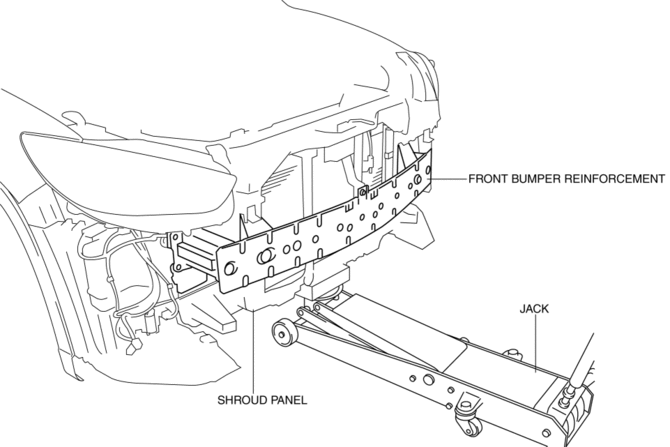
3. Support the shroud panel using a jack.
CAUTION:
-
Because the shroud panel is installed to the bumper reinforcement, support the shroud panel using a jack before removing the bumper reinforcement so as not to apply excessive force to the shroud panel.
4. Remove the following parts:
a. Front bumper reinforcement.
b. Seal plate.
c. Hood latch.
d. Crash zone sensor.
e. Ambient temperature sensor.
f. Horn.
g. Air cleaner cover.
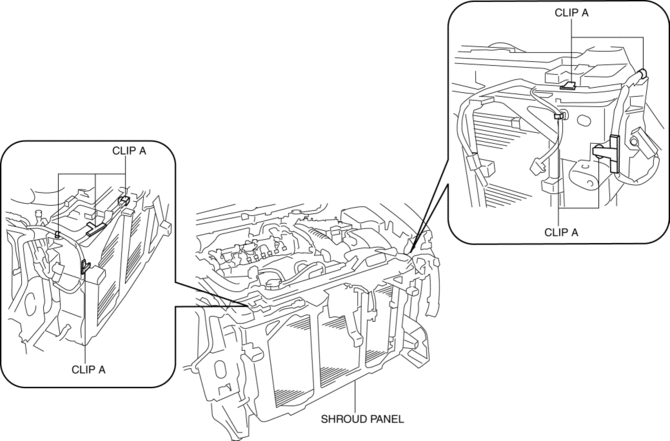
5. Remove clips A.
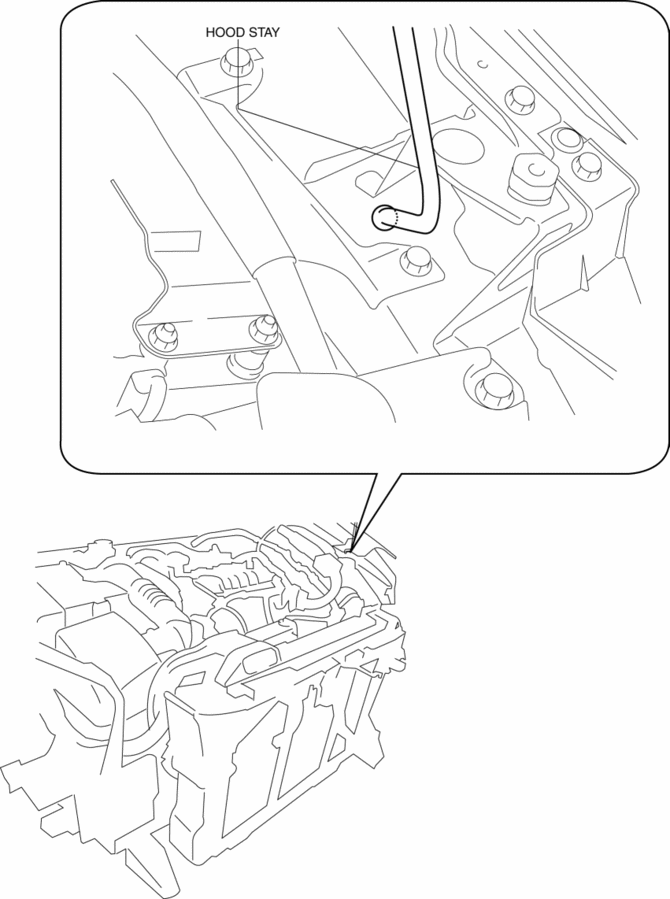
6. Remove the hood stay from the shroud panel, wrap the hood stay with protective tape, and install it as shown in the figure to support the hood.
7. Pull up the radiator in the direction of the arrow (1) shown in the figure.
CAUTION:
-
Removing the shroud panel without supporting it could cause the shroud panel to fall and cause serious injury. Always perform the procedure with at least another person to prevent the shroud panel from falling.
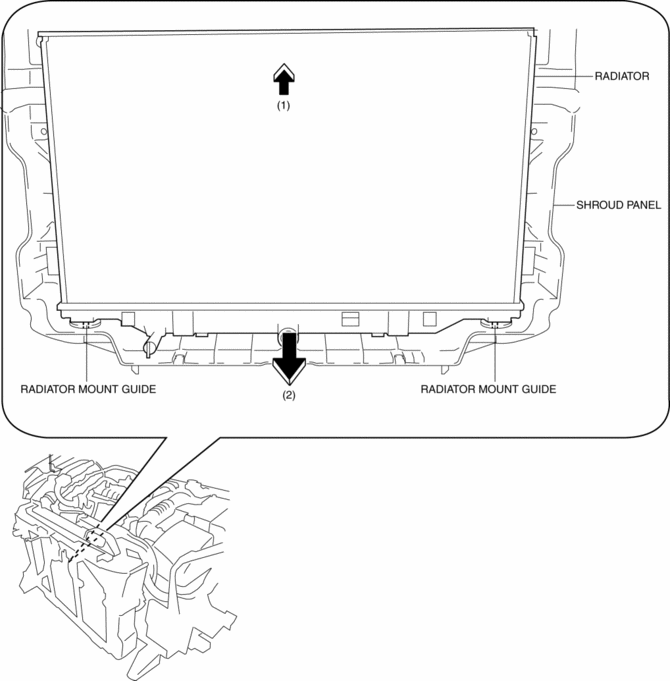
8. Pull down the shroud panel in the direction of the arrow (2) shown in the figure, then remove it from the radiator mount guide.
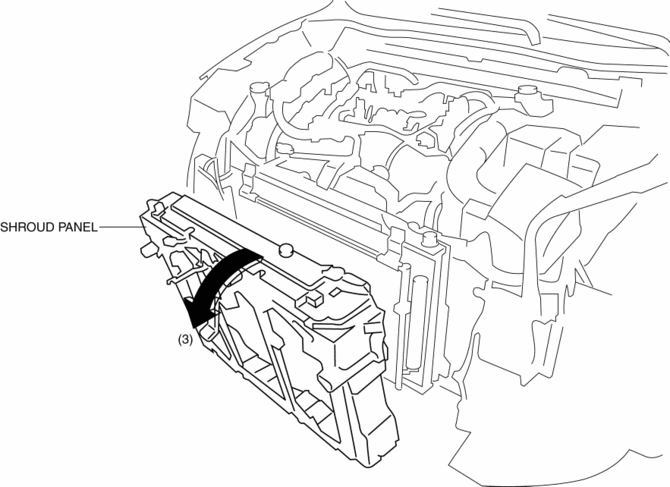
9. Remove the shroud panel in the direction of the arrow (3) shown in the figure.
CAUTION:
-
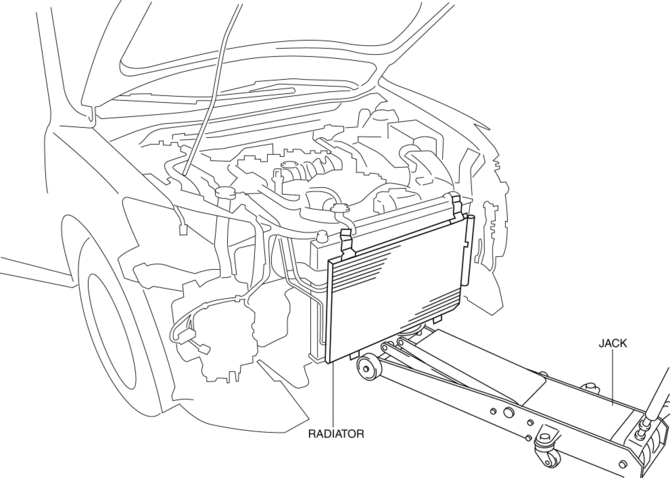
Support the lower surface of the radiator with a jack to prevent the radiator from falling off after the shroud panel is removed.
10. Install in the reverse order of removal.
11. Perform the headlight aiming procedure..
 Radiator
Purpose, Function
The radiator disperses the engine coolant heat flowing internally by receiving
against the vehicle while it is driven or air flow produced by the cooling fan.
Constru ...
 Shroud Side Member Installation [Panel Replacement]
Symbol Mark
Installation Procedure
1. When installing new parts, measure and adjust the body as necessary to conform
with standard dimensions.
2. Drill holes for the plug welding before inst ...
Other materials:
Rear Door Trim Removal/Installation
1. Insert a tape-wrapped flathead screwdriver in the position indicated by the
arrow (1) in the figure and remove the inner handle cover while detach tabs A, pin
B.
2. Remove the screw C.
3. Remove the cover D, then remove the screw E.
4. Take the shaded area shown in the figur ...
Rear Seat Center Armrest Removal/Installation
1. Operate the push knob (RH) and lower the rear seat back (RH).
2. Remove screw A.
3. Remove the rear seat center armrest hinge cover (RH) in the direction of the
arrow (1) shown in the figure while setting hook A aside.
4. Remove bolt B.
5. Remove the rear seat center armrest in ...
Air Bag Module And Pre Tensioner Seat Belt Disposal Procedures [Standard Deployment
Control System]
WARNING:
A live (undeployed) air bag module or pre-tensioner seat belt may accidentally
operate (deploy) when it is disposed of and cause serious injury. Always refer
to the “AIR BAG MODULE AND PRE-TENSIONER SEAT BELT DEPLOYMENT PROCEDURES”
and dispose of air bag modules a ...
