
Mazda CX-5 Service & Repair Manual: Rear Spoiler Removal/Installation
Removal
WARNING:
-
Using a utility knife with bare hands can cause injury. Always wear gloves when using a utility knife.
1. Remove the liftgate upper trim.
2. Remove caps A.
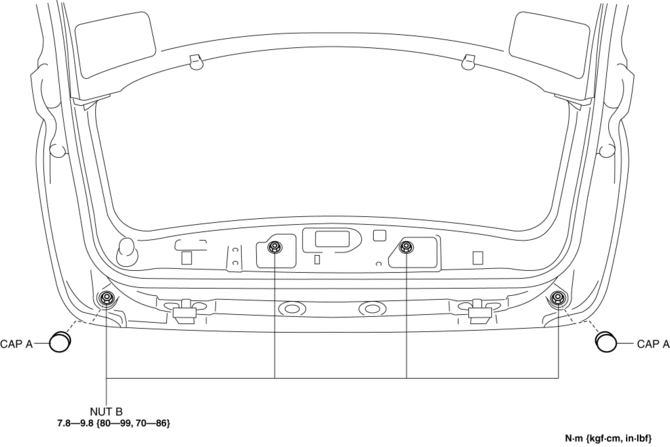
3. Remove nuts B.
4. Attach a piece of wire between the liftgate striker and liftgate latch to hold the liftgate in the half-opened position as shown below.
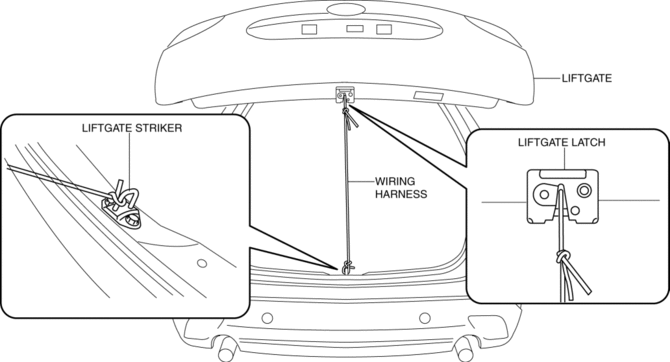
5. Insert a tape-wrapped flathead screwdriver in the locations shown below to remove clips C and D in the direction of the arrow (1).
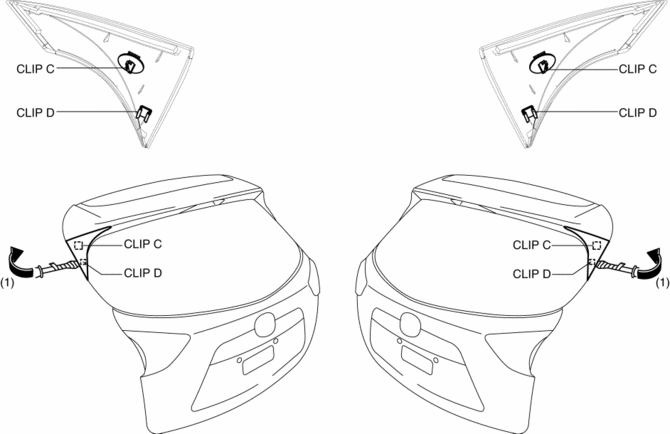
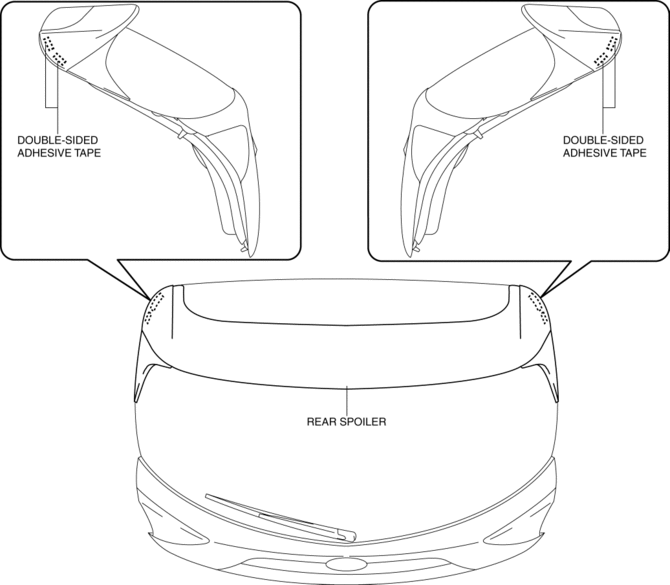
6. Using a utility knife, carefully remove the double-sided adhesive tape in the locations shown below.
CAUTION:
-
Be careful not the damage the vehicle's paint during tape removal.
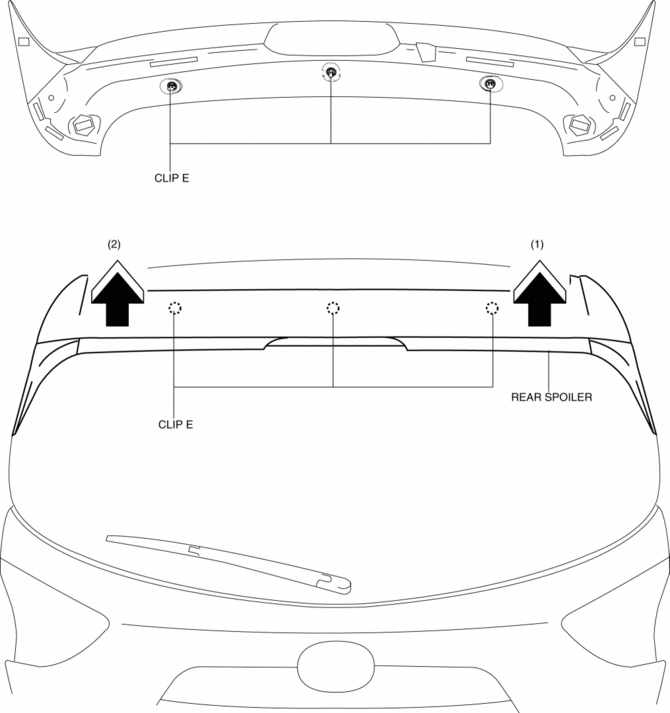
7. Pull the rear spoiler in the direction of the arrows in the order of (1), (2) and remove it while detaching clips E.
CAUTION:
-
When removing the rear spoiler clips E, the rear spoiler may fall and be damaged. Perform the rear spoiler clip removal using two people.
Installation
NOTE:
-
To facilitate the procedure after rear spoiler installation, peel the protective tape adhered during removal before installing the rear spoiler.
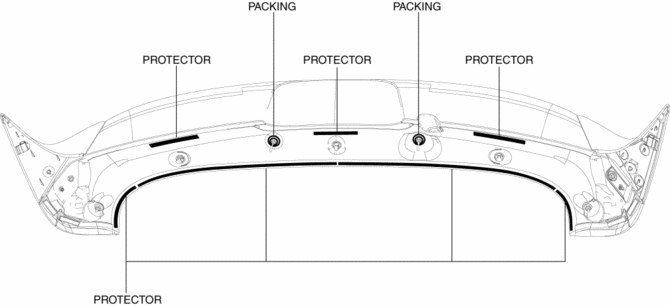
1. When a rear spoiler is to be reused, perform the following procedure:
a. Remove the packing and protector remaining on the rear spoiler after removal.
b. Remove any grease and dirt from the packing and protector affixing area.
c. Affix packing and protector to the position shown in the figure.
d. If the protector is damaged, replace the part that is damaged with a new protector.
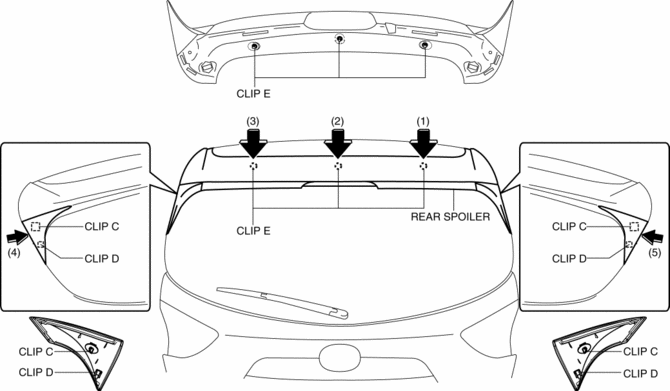
2. Push the rear spoiler in the direction of the arrows in the order of (1), (2), (3), (4), (5) and install the rear spoiler while install clips C, D and E.
3. Install nuts B.
4. Install caps A.
5. Install the liftgate upper trim.
 Rear Side Panel Removal [Panel Replacement]
Symbol Mark
Removal Procedure
1. Drill the 11 locations shown in the figure.
2. Remove the rear side panel. ...
 Repairable Range Of Polypropylene Bumpers [Plastic Body Parts]
The three types of damaged bumpers shown below are considered repairable. Although
a bumper which has been damaged greater than this could also be repaired, it should
be replaced with a new one be ...
Other materials:
R 3 5 Brake [Fw6 A EL, Fw6 Ax EL]
Purpose/Function
The R-3-5 brake operates in 3GR, 5GR and in reverse to lock the reduction
internal gear against rotation.
Construction
The R-3-5 brake consists of the following parts shown in the figure.
The driven plate of the R-3-5 brake does not rotate be ...
Tiedown Hooks
CAUTION
Do not use the front and rear tiedown eyelets for towing the vehicle.
They have been designed only for securing the vehicle to a transport vessel during
shipping.
Using the eyelets for any other purpose could result in the vehicle being damaged.
Tiedown Hooks
1. Remove the tiedown eye ...
PID/Data Monitor Inspection [Standard Deployment Control System]
1. Connect the M-MDS to the DLC?2.
2. After the vehicle is identified, select the following items from the initialization
screen of the M-MDS.
a. Select “DataLogger”.
b. Select “Modules”.
c. Select “RCM”.
3. Select the applicable PID from the PID table.
4. Verify the PID da ...
