
Mazda CX-5 Service & Repair Manual: Rear Door Trim Removal/Installation
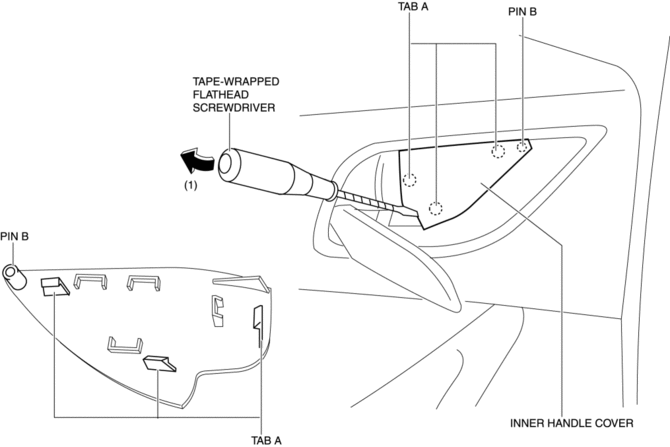
1. Insert a tape-wrapped flathead screwdriver in the position indicated by the arrow (1) in the figure and remove the inner handle cover while detach tabs A, pin B.
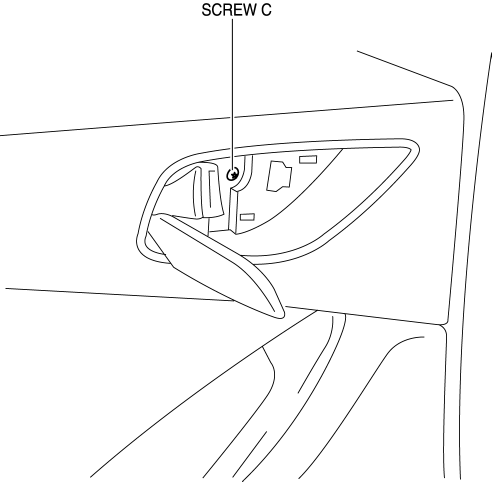
2. Remove the screw C.
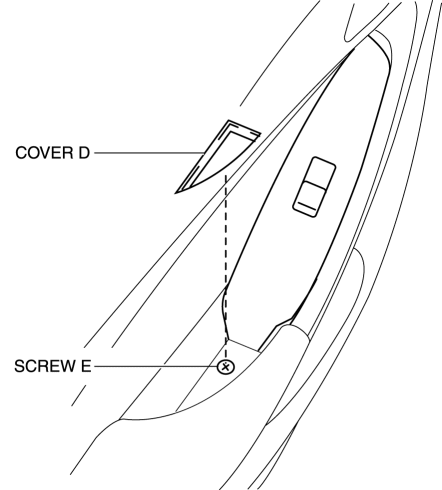
3. Remove the cover D, then remove the screw E.
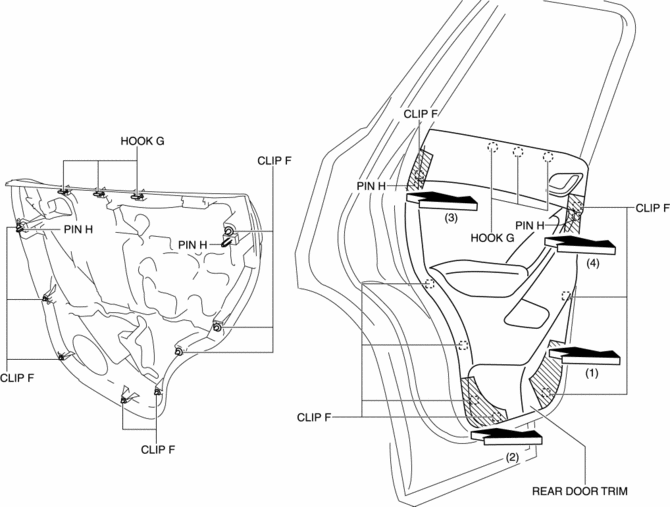
4. Take the shaded area shown in the figure, and pull the rear door trim in the direction of the arrow in the order of (1), (2), (3), (4) while detaching clips F, hooks G and pin H.
CAUTION:
-
If the rear door trim is removed in the same way as past vehicles by pulling it upward, it could damage clips F, hooks G and pins H. When removing the rear door trim, always pull it in the direction of the arrow shown in the figure.
5. Remove the tab I in the direction of the arrow (5) shown in the figure.
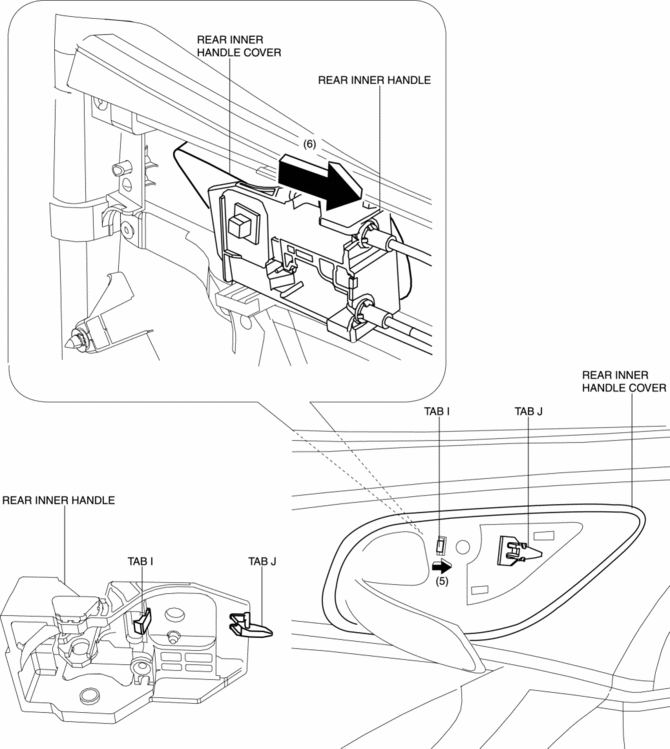
6. Remove the rear inner handle in the direction of the arrow (6) shown in the figure while detaching the tab J.
7. Disconnect the power window subswitch connector.
8. Install in the reverse order of removal.
 Rear Door Trim Disassembly/Assembly
1. Disassemble in the order shown in the figure.
1
Switch panel cover
2
Power window subswitch.
3
Fastener
...

Other materials:
Condenser Inspection
1. Inspect the condenser for cracks, damage, and oil leakage.
If there is any malfunction, replace the condenser.
2. Visually inspect for bent fins for clogging of foreign material.
If any fins are clogged, remove the foreign material.
3. Visually inspect for bent fins.
...
Pre Tensioner Seat Belt [Two Step Deployment Control System]
Purpose
The pre-tensioner seat belt retracts and tightens the seat belt webbing to
protect the front passengers during a collision.
Function
The pre-tensioner seat belts operate (deploy) based on the operation signal
from the SAS control module to instantly retract and tigh ...
Ignition System [Skyactiv G 2.0]
Outline
A direct ignition coil for independent ignition control has been adopted.
An ignition coil built-into the ion sensor has been adopted.
An iridium spark plug has been adopted.
Structural View
Structure
Consists of the following parts:
...
