
Mazda CX-5 Service & Repair Manual: Audio Unit Removal/Installation
Removal
1. Disconnect the negative battery cable.
2. Remove the decoration panel..
3. Remove the bolt.
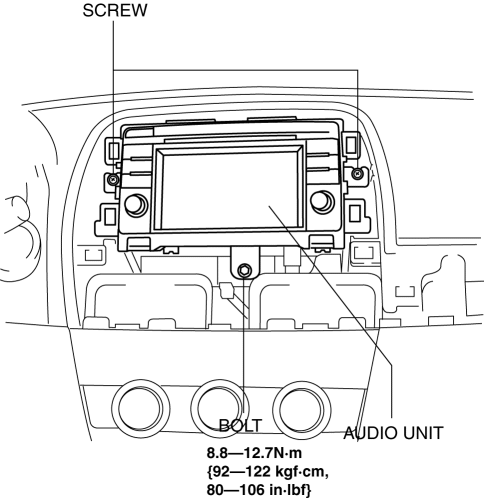
4. Remove the screws.
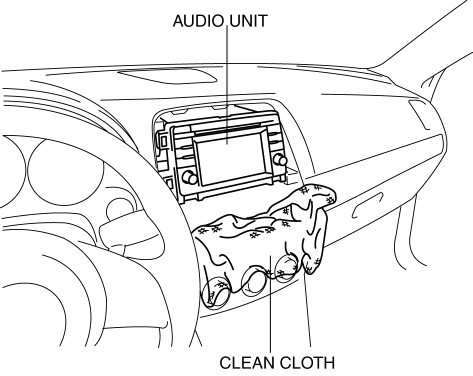
NOTE:
-
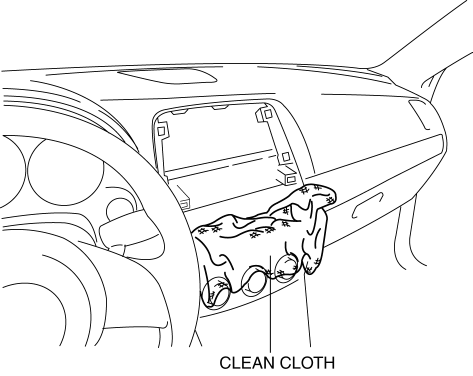
When removing the audio unit, the audio unit could interfere with the climate control unit and scratch the climate control unit. Perform the servicing by spreading a cloth in the position indicated in the figure.
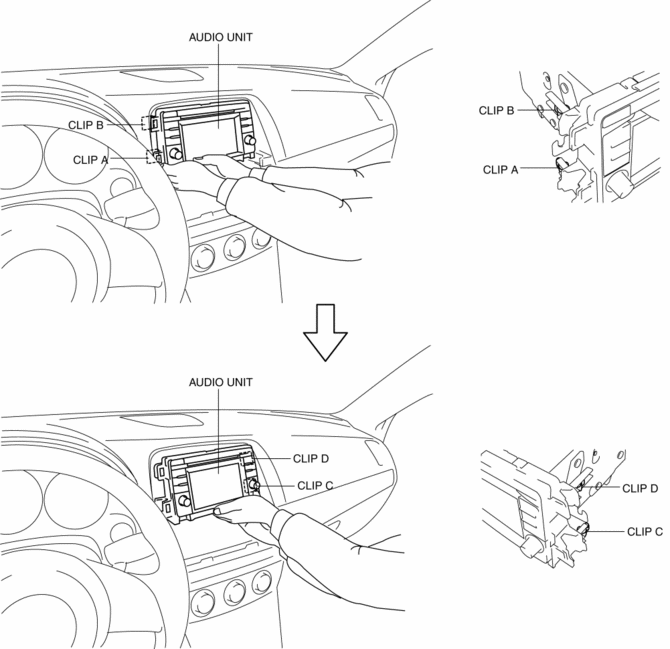
5. Hold the audio unit in the position shown in the figure and pull it outward to disengage clips A, B, C, and D from the instrument panel.
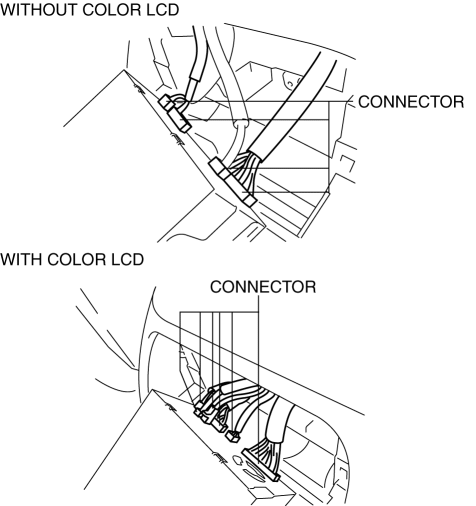
6. Disconnect the connectors.
7. Remove the audio unit.
Installation
NOTE:
-
When installing the audio unit, the audio unit could interfere with the climate control unit and scratch the climate control unit. Perform the servicing by spreading a cloth in the position indicated in the figure.
1. Connect all the connectors.
2. Temporarily position the audio unit on the ribs and align the hole positions of the instrument panel with clips.
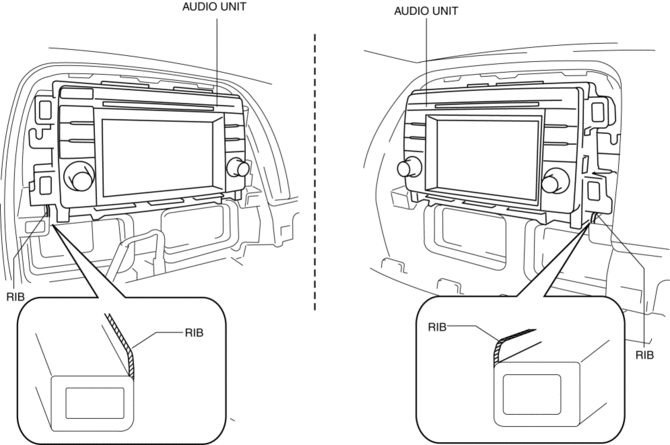
3. Press the audio unit in the position shown in the figure and engage clips to the instrument panel.
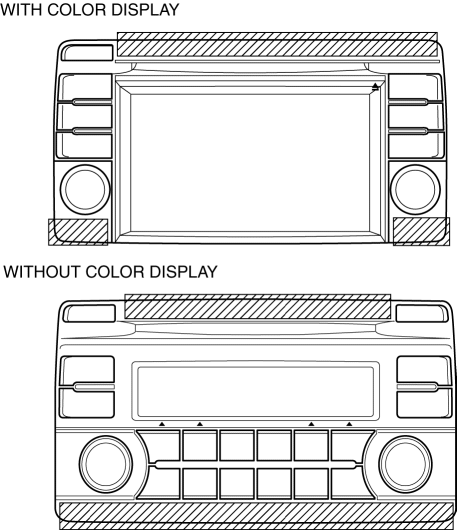
CAUTION:
-
If the audio unit switch area and screen are pressed it could cause a malfunction.
4. Install the screws.
5. Install the bolt.
6. Install the Decoration panel..
7. Connect the negative battery cable..
 Audio Unit Personalization Features Setting Procedure
Door Locks Systems
1. Switch the ignition ON (engine off or on).
2. Turn the audio unit power on.
3. Select the following from the audio unit screen.
a. “Setup”
b. “Vehicle”
c. “D ...
 Auxiliary Jack/Usb Port
NOTE:
“iPod” is a registered trademark of Apple Inc. in the United States and other
countries.
Purpose, Function
The Auxiliary jack/USB port outputs the audio signals of co ...
Other materials:
AUX/USB/iPod mode
Audio can be heard from the vehicle's speakers by connecting a commercially available
portable audio unit to the auxiliary jack.
A commercially-available, non-impedance (3.5 ) stereo mini plug cable is required.
Contact an Authorized Mazda Dealer for details.
In addition, audio can be playe ...
Propeller Shaft On Vehicle Inspection
Joint Area Excessive Play Inspection
1. Shake the universal joint by hand and verify that there is no excessive play.
2. If there is any excessive play, replace the propeller shaft..
Propeller Shaft Runout Inspection
CAUTION:
Do not rotate the propeller shaft using engine force wh ...
Vacuum Pump [Skyactiv G 2.0]
Purpose, Function
Ensures vacuum required for braking force to compensate for the decrease
in intake manifold vacuum applied to the power brake unit caused by the retard
intake valve closing.
Construction
The vacuum pump is installed to the rear housing.
For s ...
