
Mazda CX-5 Service & Repair Manual: A Pillar Trim Removal/Installation
1. Partially peel back the seaming welt.
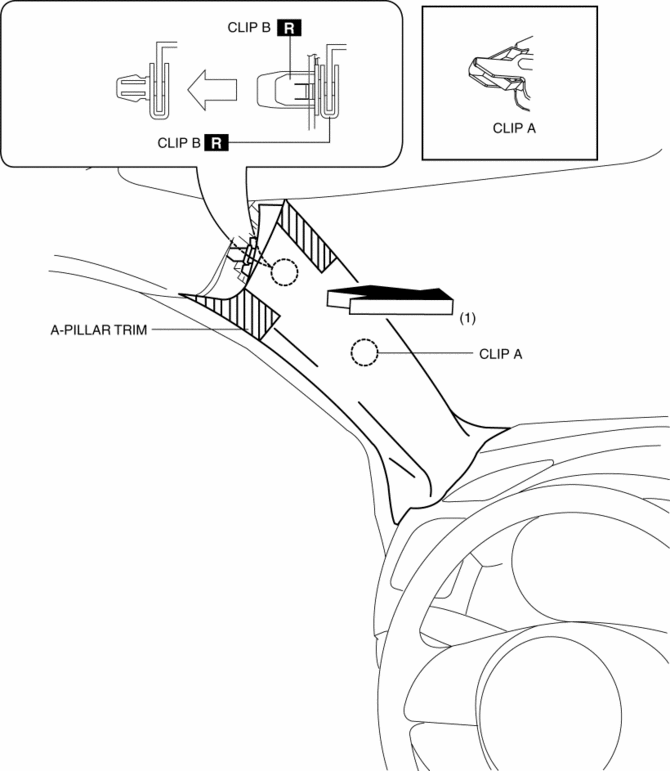
2. Take the shaded area shown in the figure, and pull the A-pillar trim in the direction of the arrow (1) while detaching clip A, clips B.
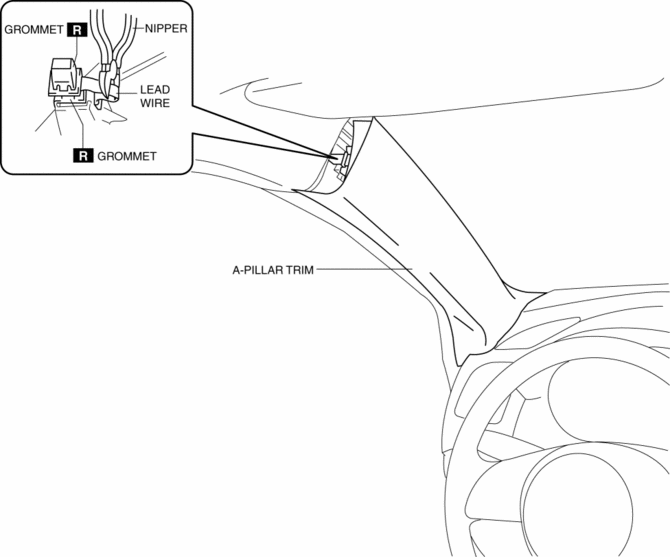
3. Cut the lead wire connecting clips B and grommet using a nipper.
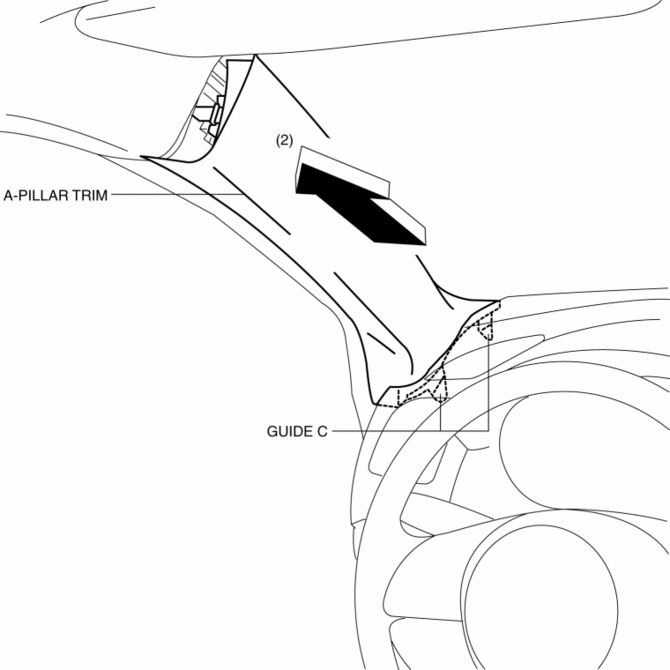
4. Pull the A-pillar trim in the direction of the arrow in the order of (2) and remove the A-pillar trim while detaching guides C.
5. Move the hook in the direction of arrows (3) and (4) shown in the figure using a tape-wrapped flathead screwdriver and detach it from the front pillar inner panel.
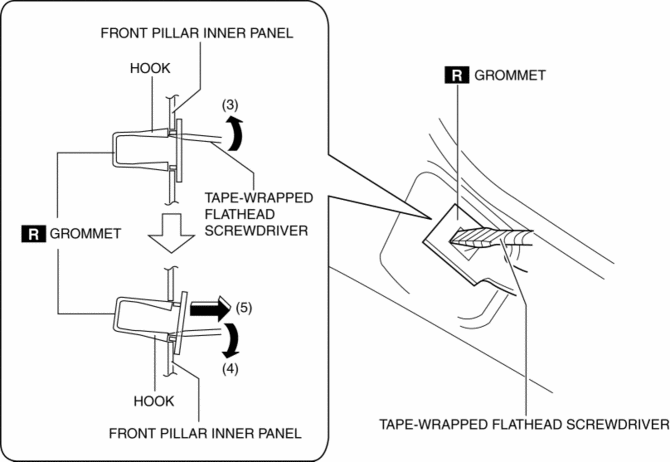
6. Remove the grommet in the direction of the arrow (5) shown in the figure.
7. When installing the A-pillar, install new clips B and grommet to the A-pillar trim in advance.
8. Install in the reverse order of removal.
 General
...
 Anticorrosion, Sound Insulation, And Vibration Insulation
Body Sealing
Apply body sealer where necessary.
For locations where application of body sealer is difficult after installation,
apply it before installation.
Application of ...
Other materials:
Drive By Wire Control
Outline
Calculates the optimum target throttle valve opening angle at all engine
speeds and controls the throttle valve actuator.
The drive-by-wire control is composed of the idle air control, accelerator
control, traction control, excess engine speed control, overspeed control, ...
Oil Pump [Fw6 A EL, Fw6 Ax EL]
Purpose/Function
The oil pump generates hydraulic pressure in the oil line of the automatic
transaxle together with supplying lubrication to powertrain related parts.
Construction
The oil pump has adopted a gear type with built-in outer and inner rotors.
The inner roto ...
Cooling Fan Relay [Skyactiv G 2.0]
Purpose, Function
The cooling fan relay operates by receiving the signal from the PCM to supply
power to the cooling fan motor.
Construction
The cooling fan relay is installed on the relay and fuse block.
Operation
The contact point is on when the battery vo ...
