
Mazda CX-5 Service & Repair Manual: Torque Box Installation [Panel Replacement]
Symbol Mark

Installation Procedure
1. When installing new parts, measure and adjust the body as necessary to conform with standard dimensions.
2. Drill holes for the plug welding before installing the new parts.
3. After temporarily installing new parts, make sure the related parts fit properly.
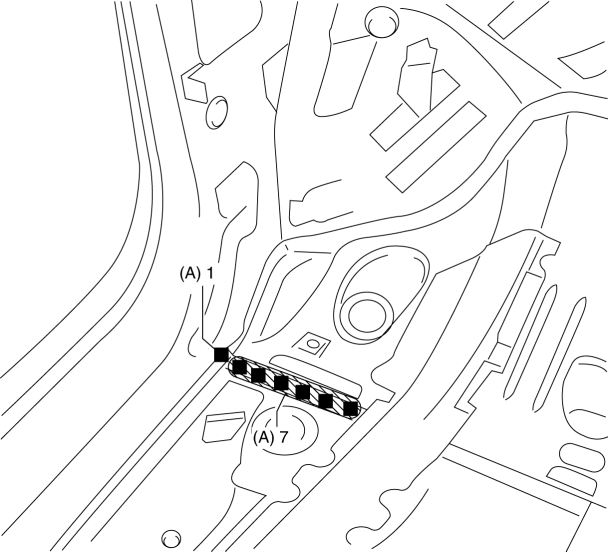
4. Plug weld the 8 locations indicated by (A) from the inside shown in the figure.
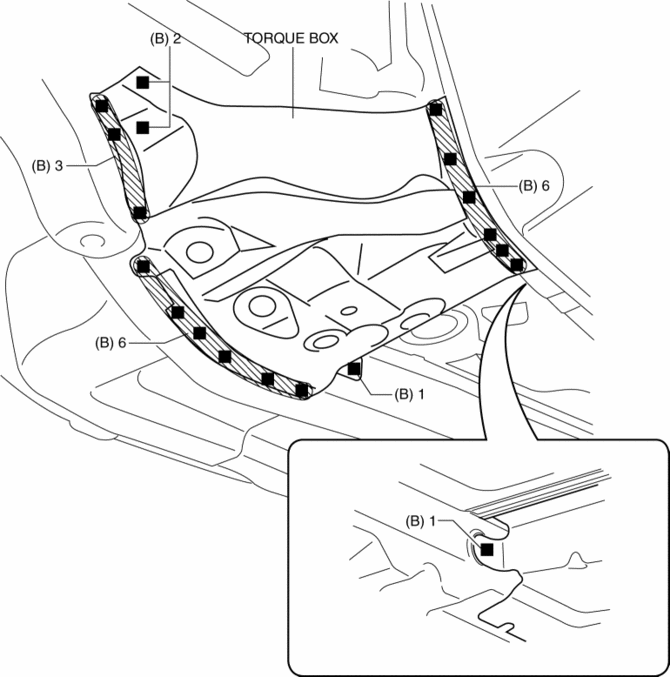
5. Plug weld the 19 locations indicated by (B) shown in the figure, then install the torque box.
 Side Member Removal [Panel Replacement]
Symbol Mark
Removal Procedure
1. Drill the 45 locations shown in the figure.
NOTE:
When drilling, do not drill a hole all the way through or there could be
a problem when installing ...
 Torque Box Removal [Panel Replacement]
Symbol Mark
Removal Procedure
1. Drill the 19 locations indicated by (A) shown in the figure.
NOTE:
When drilling the 19 locations indicated by (A) shown in the figure, do not
drill ...
Other materials:
M Position Switch Inspection [Fw6 A EL, Fw6 Ax EL]
Continuity Inspection
NOTE:
The M position switch is built into the selector lever component.
1. Disconnect the negative battery cable..
2. Remove the front console..
3. Disconnect the selector lever component connector.
4. Verify that the continuity between selector lever c ...
Front Body Control Module (Fbcm) Configuration (Using Read/Write Function)
NOTE:
When performing configuration, it is necessary to read the vehicle specification
information from the front body control module (FBCM) before replacing it. Connect
the M-MDS to the vehicle and perform vehicle identification before removing
the front body control module (FBCM). ...
Pressure Sensor [Two Step Deployment Control System]
Purpose
The pressure sensor determines at an earlier stage whether to detonate the
air bag on the side of the vehicle (around front door) receiving an impact.
This is for improved accuracy of the side air bag operation (deployment).
Function
When the vehicle is involved in ...
