
Mazda CX-5 Service & Repair Manual: Plug Hole Plate Removal/Installation
CAUTION:
-
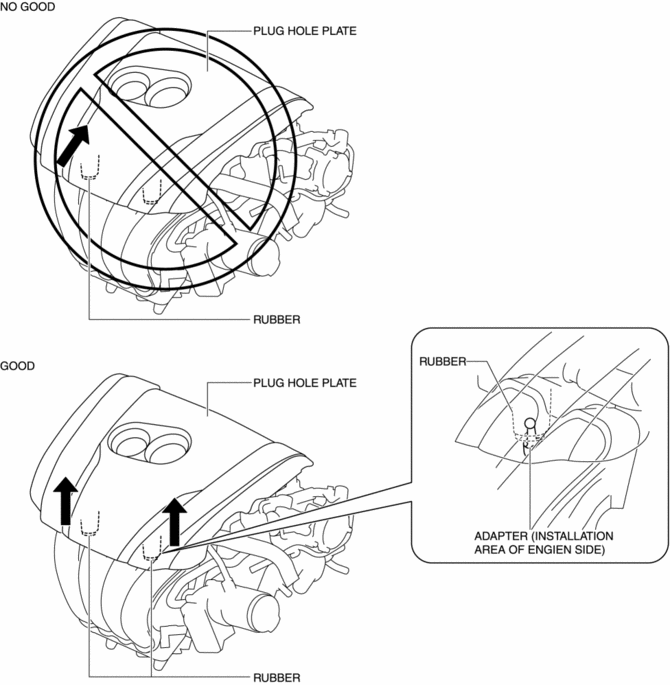
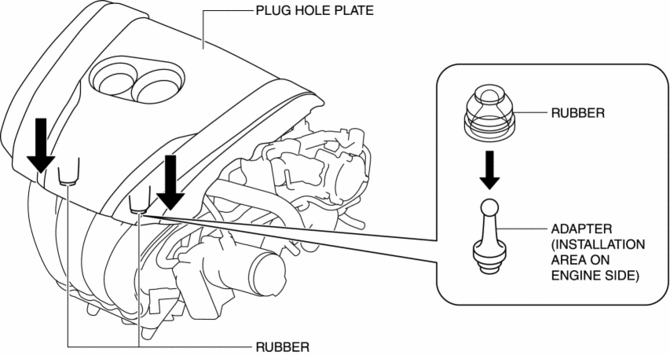
If the rubber on only one side of the plug hole plate front is lifted up, it could damage the adapter at the location shown in the figure. When removing the plug hole plate, lift up the rubbers at the same time.
Removal
1. Pull up the front part of the plug hole plate at the same time and remove the rubber from the adapter on the engine side.
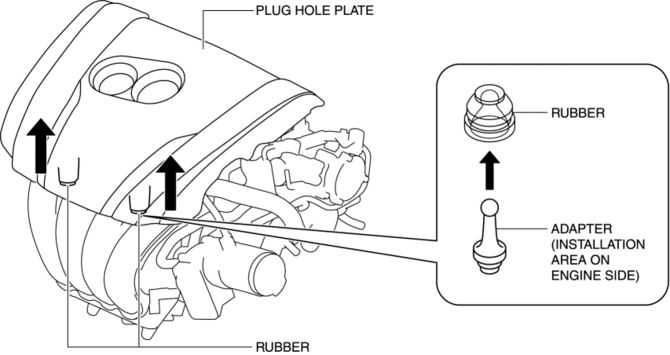
2. Pull up the plug hole plate in the order shown in the figure and remove the adapter from the rubber on the engine side.
Installation
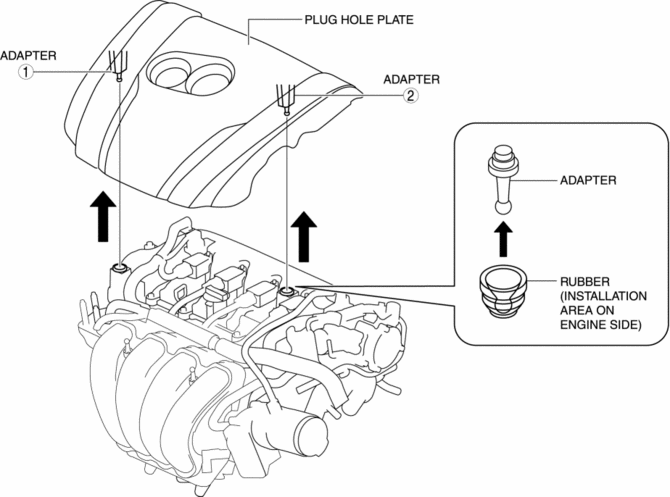
1. Press the plug hole plate in the order shown in the figure to insert the adapter to the rubber on the engine side.
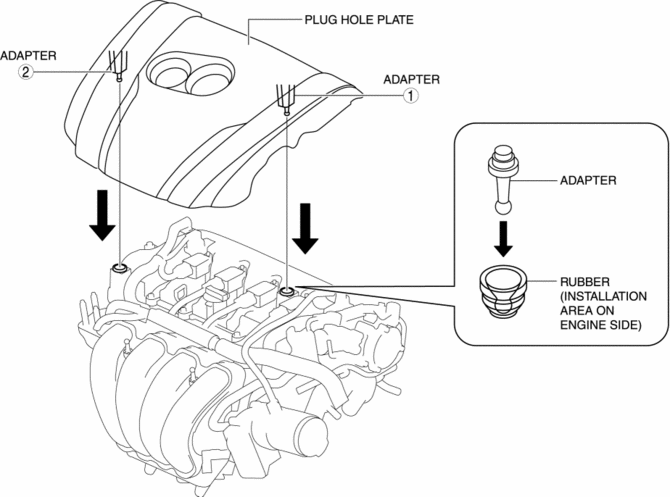
2. Press the front part of the plug hole plate at the same time to insert the rubber to the adapter on the engine side.
 Non Return Valve
Purpose, Function
Assures safety by preventing fuel from returning to the fuel filler opening.
Construction
The non-return valve cannot be removed as it is installed inside the fue ...
 Resonance Chamber
Purpose, Function
Pulsation of intake air is controlled and intake air noise is reduced by
adding an intake air passage.
Construction
The resonance chamber is installed to fresh ...
Other materials:
Power Window System Initialization Procedure
NOTE:
If the following operations have been performed, initial setting is reset,
and auto up/down operation are disabled. Therefore, performing initial setting
is necessary.
Negative battery cable is disconnected..
Power window main switch connector is dis ...
Drive Belt Removal/Installation
WARNING:
A hot engine can cause severe burns. Turn off the engine and wait until it
is cool before servicing.
NOTE:
Remove/install the drive belt from the underside of the vehicle.
Generator Drive Belt Removal/Installation
CAUTION:
To prevent damage to the dri ...
Refrigerant Pressure Sensor Removal/Installation [Manual Air Conditioner]
1. Disconnect the negative battery cable..
2. Discharge the refrigerant..
3. Disconnect the refrigerant pressure sensor connector.
CAUTION:
If moisture or foreign material enters the refrigeration cycle, cooling ability
will be lowered and abnormal noise will occur. Always immediate ...
