
Mazda CX-5 Service & Repair Manual: Parking/Front Turn Light Bulb Removal/Installation
Halogen Type
1. Disconnect the negative battery cable..
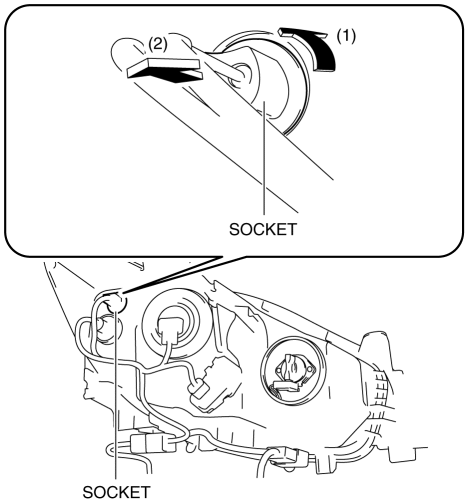
2. Rotate the socket in the direction of the arrow (1) shown in the figure and remove it from the front combination light in the direction of the arrow (2) shown in the figure.
3. Remove the parking/front turn light bulb.
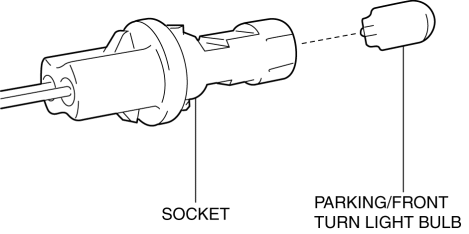
4. Install in the reverse order of removal.
Discharge Type
Parking/Front turn light bulb (LH)
1. Disconnect the negative battery cable..
2. Remove the air cleaner cover..
3. Remove the relay and fuse block upper cover..
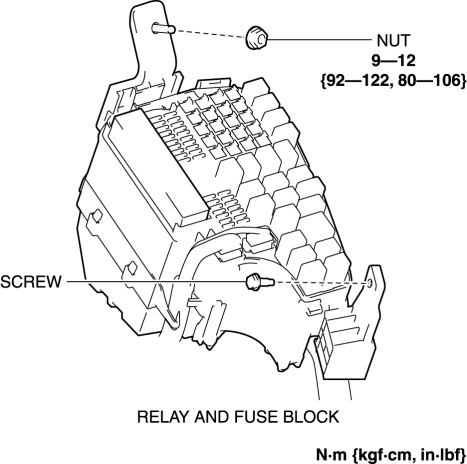
4. Remove the nut and screw.
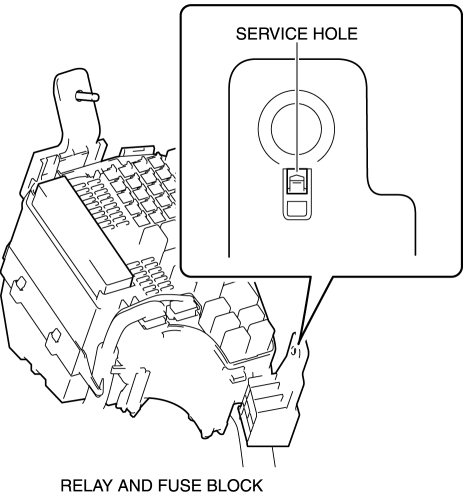
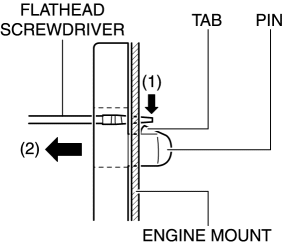
5. Insert a tape-wrapped flathead screwdriver into the service hole in the position shown in the figure.
6. While pressing the pin tab in the direction of the arrow (1) shown in the figure using a flathead screwdriver, pull the pin in the direction of the arrow (2) shown in the figure to detach the pin tab and engine mount.
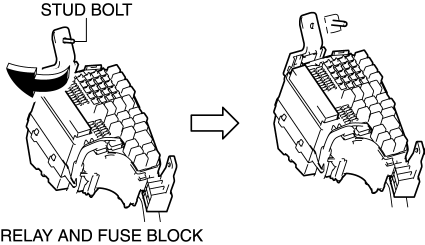
7. Pull out the relay and fuse block from the stud bolt and set it aside as shown in the figure.
8. Rotate the socket in the direction of the arrow (3) shown in the figure and remove it from the front combination light in the direction of the arrow (4) shown in the figure.
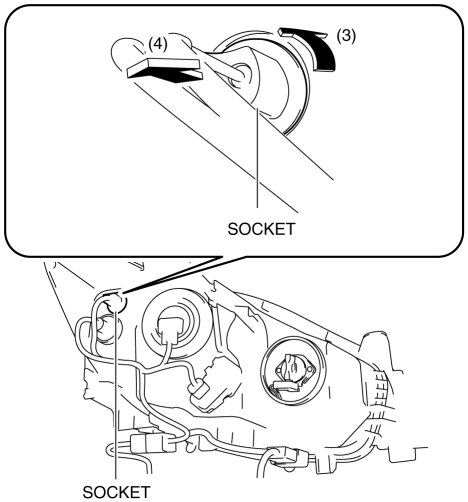
9. Remove the parking/front turn light bulb.
10. Install in the reverse order of removal.
Parking/Front turn light bulb (RH)
1. Disconnect the negative battery cable..
2. Remove the washer tank bracket..
3. Rotate the socket in the direction of the arrow (1) shown in the figure and remove it from the front combination light in the direction of the arrow (2) shown in the figure.
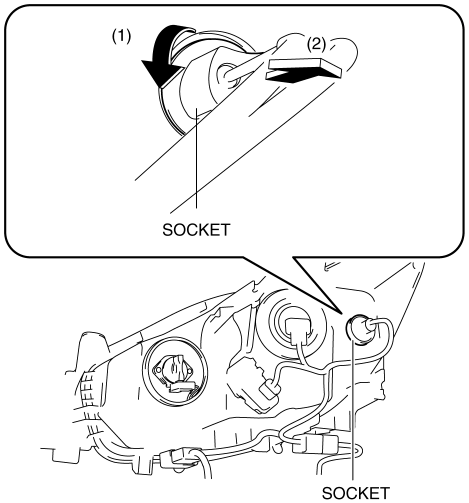
4. Remove the parking/front turn light bulb.
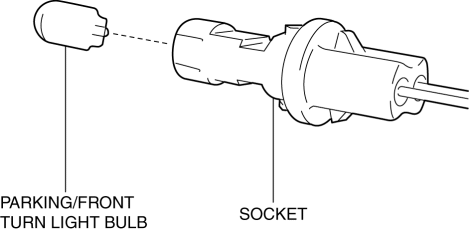
5. Install in the reverse order of removal.
 Lighting Systems
Outline
Front combination lights have been adopted with parts related to the front
exterior lights grouped and housed together.
The following systems have been adopted to the headlig ...
 Rear Turn Light Bulb Removal/Installation
1. Disconnect the negative battery cable..
2. Insert a tape-wrapped flathead screwdriver into the service hole in the position
shown in the figure.
3. Move the flathead screwdriver in the di ...
Other materials:
Torque Converter Clutch (TCC) Control [Fw6 A EL, Fw6 Ax EL]
Outline
For TCC control, a newly developed, full range TCC control has been adopted.
The TCC range has been significantly widened by having the smoothness unique
to the torque converter during acceleration from a stop take precedence and
actively controlling TCC directly after accele ...
Restraints SST
49 H066 002
Deployment tool
49 B066 004
Adapter harness
49 L066 002
Adapter harness
49 G066 003
Adapter harness
49 N088 0A0
Fuel and Thermometer checker
...
Clutch Cover Inspection [C66 M R]
1. Remove the clutch cover..
2. Perform the following procedures to inspect the clutch cover.
If it exceeds the maximum specification, replace the clutch cover..
a. Measure the wear of the diaphragm spring fingers.
Clutch cover diaphragm spring fingers maximum depth
0.6 ...
