
Mazda CX-5 Service & Repair Manual: Map Light Bulb Removal/Installation
Front Map Light
1. Disconnect the negative battery cable..
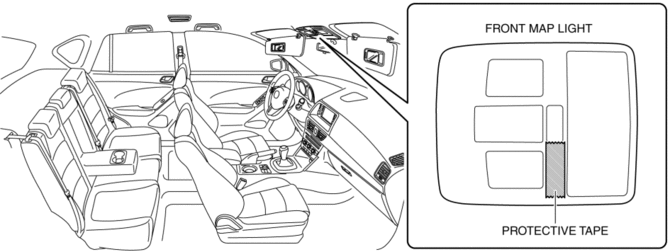
2. To prevent scratches or damage, affix protective tape to the position shown in the figure.
CAUTION:
-
If a flathead screwdriver is inserted into the gap between the front map light and lens, the front map light could interfere with the flathead screwdriver resulting in damage to the front map light. When removing the lens from the front map light, perform the procedure after affixing protective tape to the front map light.
3. Press the lens to secure a sufficient space for inserting a flathead screwdriver.
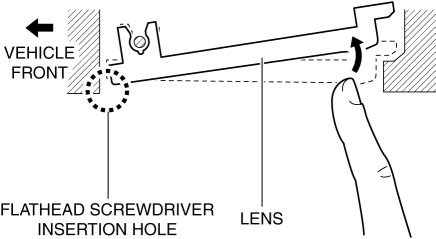
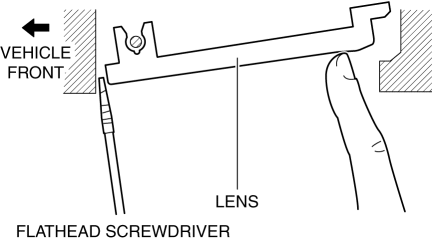
4. Insert a tape-wrapped flathead screwdriver into the gap between the lens and front map light shown in the figure.
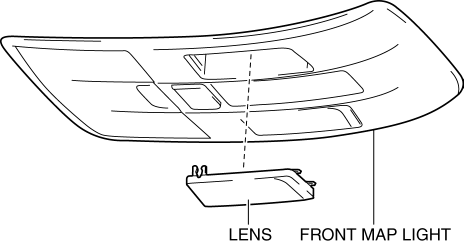
5. Move the flathead screwdriver in the direction of the arrow (1) shown in the figure, pull out the lens from the front map light, and detach the front map light pin and lens.
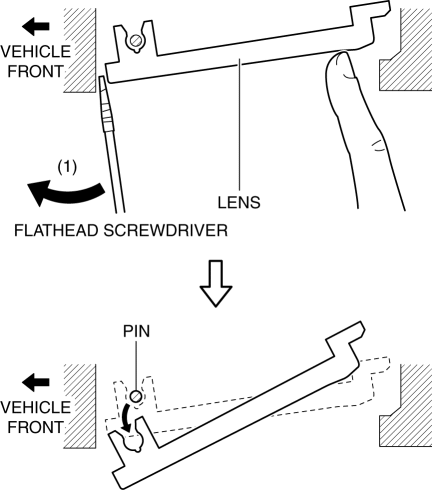
6. Remove the lens.
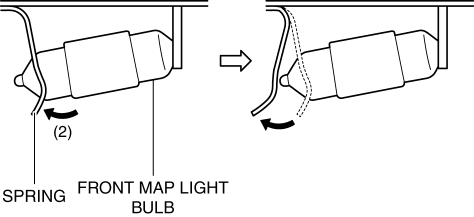
7. Press the front map light spring in the direction of the arrow (2) shown in the figure and detach the front map light spring and front map light bulb.
8. Remove the front map light bulb.
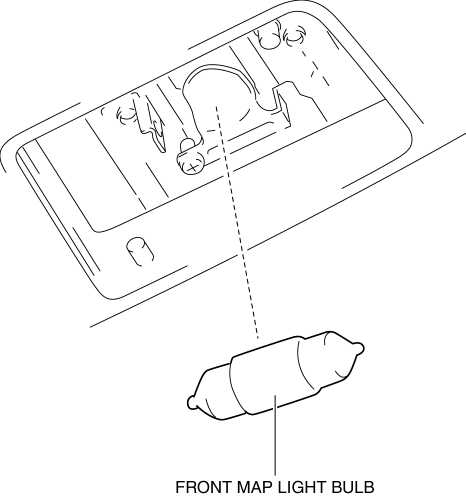
9. Install in the reverse order of removal.
Rear Map Light
1. Disconnect the negative battery cable..
2. To prevent scratches or damage, affix protective tape to the position shown in the figure.
CAUTION:
-
If a flathead screwdriver is inserted into the gap between the rear map light and lens, the rear map light could interfere with the flathead screwdriver resulting in damage to the rear map light. When removing the lens from the rear map light, perform the procedure after affixing protective tape to the rear map light.
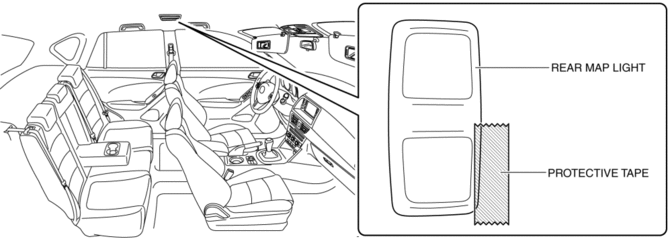
3. Press the lens to secure a sufficient space for inserting a flathead screwdriver.
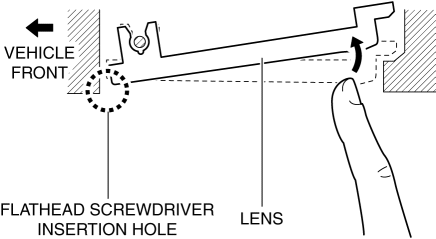
4. Insert a tape-wrapped flathead screwdriver into the gap between the lens and rear map light shown in the figure.
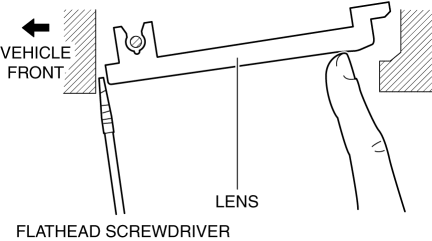
5. Move the flathead screwdriver in the direction of the arrow (1) shown in the figure, pull out the lens from the rear map light, and detach the rear map light pin and lens.
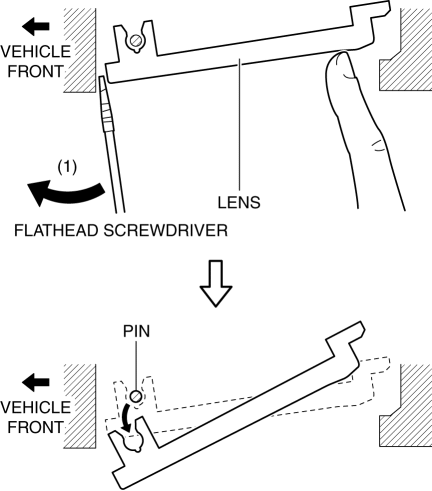
6. Remove the lens.
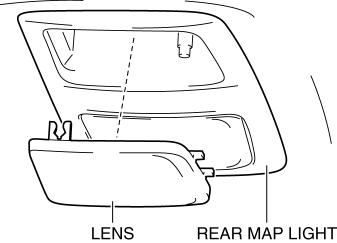
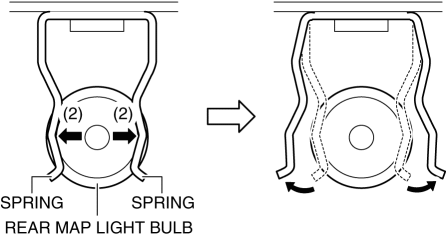
7. Move the rear map light spring in the direction of the arrow (2) shown in the figure and detach the rear map light spring and rear map light bulb.
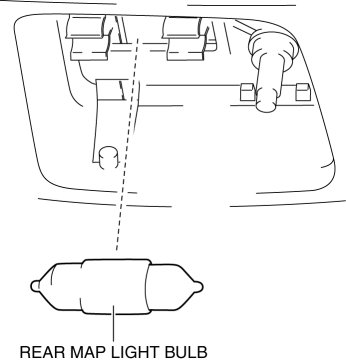
8. Remove the rear map light bulb.
9. Install in the reverse order of removal.
 Interior Lighting System
Outline
A room light control system has been adopted in which illumination time and
illumination level of the interior lights change.
The rear body control module (RBCM) performs roo ...
 Map Light Inspection
Front Map Light
1. Disconnect the negative battery cable..
2. Remove the front map light..
3. Verify that the continuity between the front map light terminals is as indicated
in the table.
...
Other materials:
Rear Side Frame Installation [Panel Replacement]
Symbol Mark
Installation Procedure
1. When installing new parts, measure and adjust the body as necessary to conform
with standard dimensions.
2. Drill holes for the plug welding before installing the new parts.
3. After temporarily installing new parts, make sure the related parts fit p ...
Front Scuff Plate Removal/Installation
1. Take the shaded area shown in the figure, detach tab A while pulling the front
scuff plate in the direction of the arrow (1) shown in the figure, then detach the
hook B, clip C, and pin D while pulling in the direction of the arrow (2).
2. Take the shaded area shown in the figure, detach ta ...
Door Adjustment
1. Measure the gap and height difference between the door and the body.
2. Loosen the door hinge installation bolts and adjust the door.
Standard clearance
a: 2.8?3.8 mm {0.12?0.14 in}
b: -1.0?1.0 mm {-0.039?0.039 in}
c: 2.5?4.5 mm {0.10?0.17 in}
d: -1.0?1.0 m ...
