
Mazda CX-5 Owners Manual: Cup Holder
WARNING
Never use a cup holder to hold hot liquids while the vehicle is moving:
Using a cup holder to hold hot liquids while the vehicle is moving is dangerous. If the contents spill, you could be scalded.
Do not put anything other than cups or drink cans in cup holders:
Putting objects other than cups or drink cans in a cup holder is dangerous.
During sudden braking or maneuvering, occupants could be hit and injured, or objects could be thrown around the vehicle, causing interference with the driver and the possibility of an accident. Only use a cup holder for cups or drink cans.
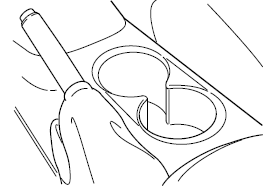
Front
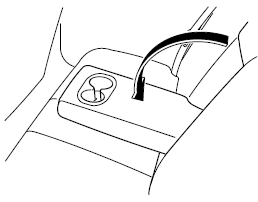
Rear
The rear cup holder is on the rear center armrest.
 Accessory Sockets
Only use genuine Mazda accessories or the equivalent requiring no greater than
120 W (DC 12 V, 10 A).
Front
The ignition must be switched to ACC or ON.
Center, Rear
The accessory sockets can b ...
 Bottle Holder
Bottle holders are on the inside of the doors.
CAUTION
Do not use the bottle holders for containers without caps. The contents may spill
when the door is opened or closed. ...
Other materials:
Lower Panel Removal/Installation
Driver-side
1. Disconnect the negative battery cable..
2. Remove the following parts:
a. Driver-side front scuff plate.
b. Driver-side front side trim.
c. Switch panel.
d. Decoration panel.
e. Shift lever knob (MTX).
f. Front console box.
g. Shift panel.
h. Upper panel.
i. Rear ...
Dashboard Under Cover Removal/Installation
1. Detach hooks A in the direction of arrow (1) shown in the figure.
2. Pull the dashboard under cover in the direction of arrow (2) while detaching
pins B.
3. Remove the dashboard under cover in the direction of the arrow (3) shown in
the figure while detaching the guide C.
CAUTION:
...
Back Up Light Bulb Removal/Installation
1. Disconnect the negative battery cable..
2. Insert a tape-wrapped flathead screwdriver into the service hole in the position
shown in the figure.
3. Move the flathead screwdriver in the direction of the arrow (1) shown in the
figure, pull out the service hole cover from the liftgate, a ...
