
Mazda CX-5 Service & Repair Manual: Center Pillar Removal [Panel Replacement]
Symbol Mark

Removal Procedure
CAUTION:
-
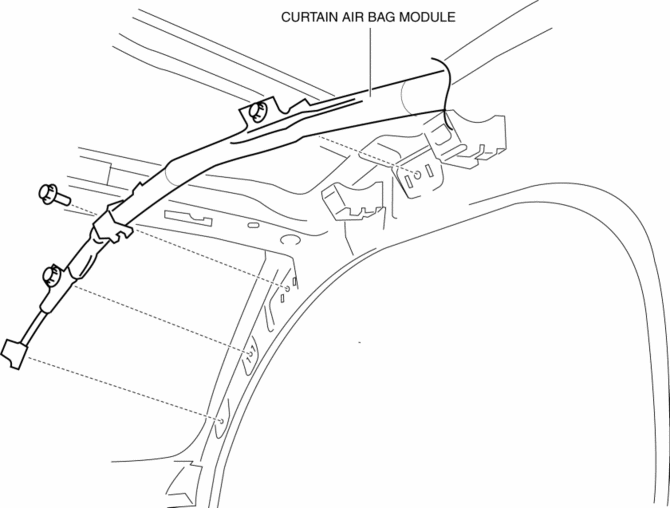
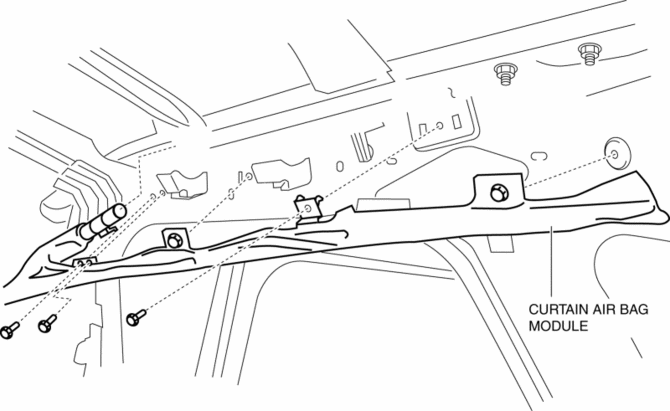
Remove the curtain air bag module to prevent damage before servicing.
Front-side
Rear-side
CAUTION:
-
Avoid cutting with a blowtorch or similar tools as the insulator (shaded area) is flammable.
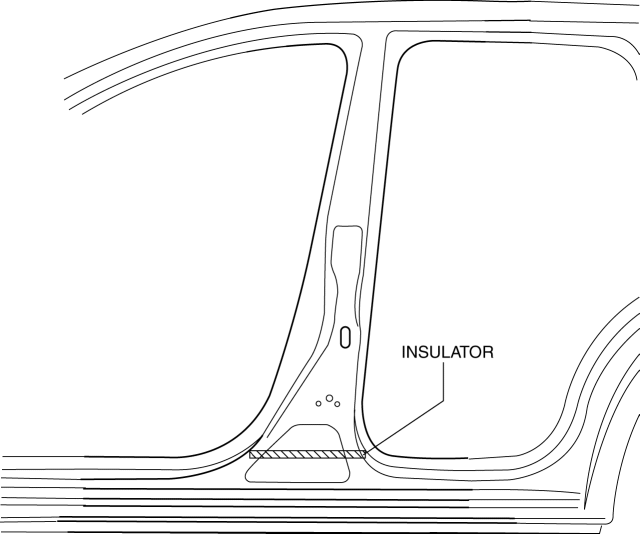
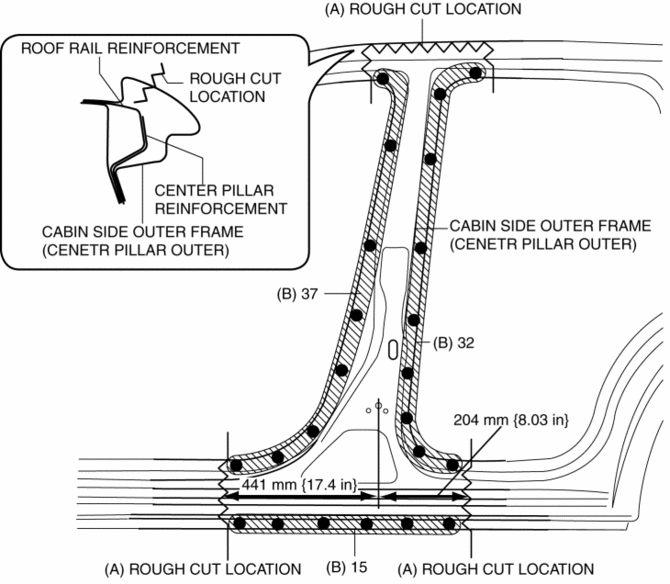
1. Rough cut the area locations indicated by (A).
2. Drill the 84 locations indicated by (B) shown in the figure then remove the cabin side outer frame (outer center pillar).
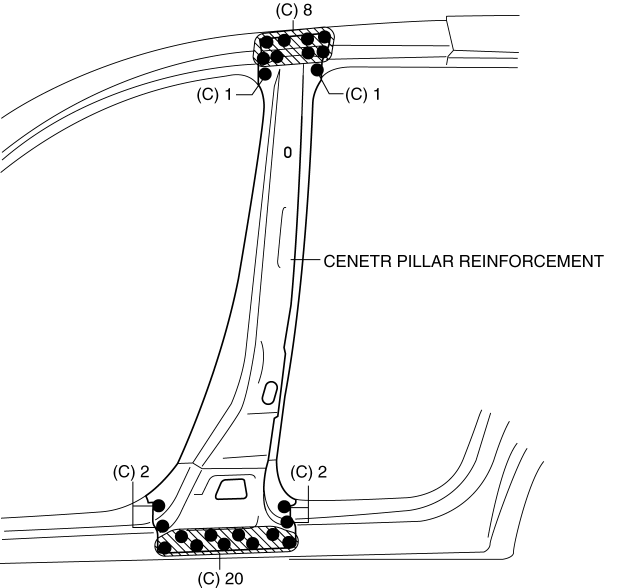
3. Drill the 34 locations indicated by (C) shown in the figure then remove the center pillar reinforcement.
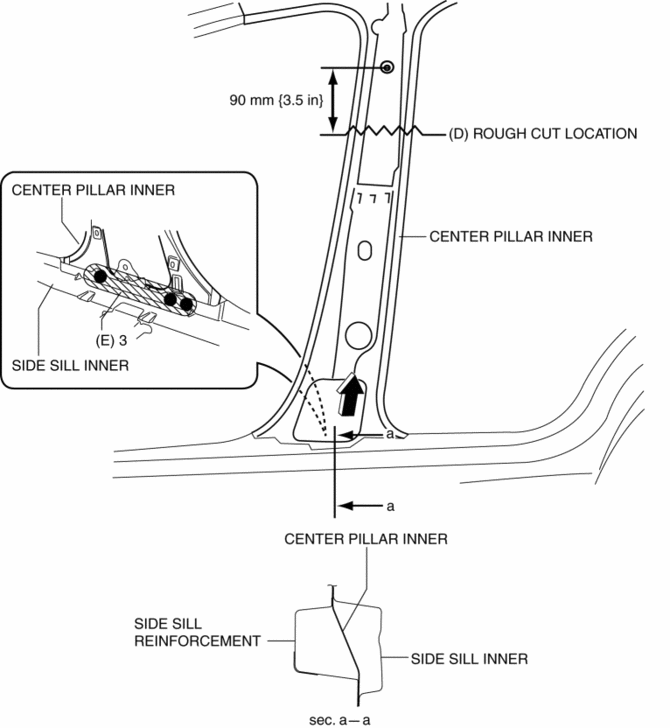
4. Rough cut the area locations indicated by (D).
5. Drill the 3 locations indicated by (E) shown in the figure.
6. Pull the inner center pillar in the direction of arrow shown in the figure, then remove it from between the inner side sill and side sill reinforcement.
 Center Pillar Installation [Panel Replacement]
Symbol Mark
Installation Procedure
1. When installing new parts, measure and adjust the body as necessary to conform
with standard dimensions.
2. Drill holes for the plug welding before inst ...
 Construction Standard Values [Construction Standard Values]
Front view
No.
Measurement part
Standard values (mm {in})
Maximum values (mm {in})
Minimum values (mm {in})
Side ...
Other materials:
Air Intake Control [Full Auto Air Conditioner]
Purpose
The air intake control switches the air intake port (FRESH/REC) according
to the vehicle environment.
Function
The air intake control drives the air intake actuator and switches the air
intake door position according to the operations of the REC, FRESH and defroster ...
Rear Center Seat Belt Removal/Installation
CAUTION:
The ELR (emergency locking retractor) has a spring that will unwind if the
retractor cover is removed. The spring cannot be rewound by hand. If this occurs,
the ELR will not work properly. Therefore, do not disassemble the retractor.
1. Press the release switch, then dis ...
After Service Precaution
WARNING:
Fuel line spills and leakage are dangerous. Fuel can ignite and cause serious
injuries or death and damage. When installing the fuel hose, perform “Fuel Leakage
Inspection” described below.
A person charged with static electricity could cause a fire or explosion,
...
